


GPU For Deep Learning
GPU Cloud Turbo Deep Learning For All




High-performance, low-cost deep learning GPU plans
Buy our affordable NVIDIA deep learning GPU solutions designed to supercharge your projects. Now achieve the AI excellence that you dreamt of at the best price and configurations.
 GPU Cloud
GPU Bare Metal
GPU Cloud
GPU Bare Metal- 2 GB GPU RAM
- 2 vCPUs
- 8 GB RAM
- 50 GB Storage
- 1 TB Bandwidth
- 4 GB GPU RAM
- 2 vCPUs
- 16 GB RAM
- 80 GB Storage
- 2 TB Bandwidth
- 8 GB GPU RAM
- 3 vCPUs
- 32 GB RAM
- 170 GB Storage
- 3 TB Bandwidth
- 16 GB GPU RAM
- 6 vCPUs
- 64 GB RAM
- 350 GB Storage
- 6 TB Bandwidth
- 32 GB GPU RAM
- 12 vCPUs
- 128 GB RAM
- 700 GB Storage
- 10 TB Bandwidth
- 64 GB GPU RAM
- 24 vCPUs
- 256 GB RAM
- 1200 GB Storage
- 12 TB Bandwidth
- 128 GB GPU RAM
- 48 vCPUs
- 496 GB RAM
- 1500 GB Storage
- 15 TB Bandwidth
- 256 GB GPU RAM
- 96 vCPUs
- 960 GB RAM
- 1700 GB Storage
- 25 TB Bandwidth
- 2 GB GPU RAM
- 1 vCPUs
- 5 GB RAM
- 90 GB Storage
- 3 TB Bandwidth
- 4 GB GPU RAM
- 2 vCPUs
- 10 GB RAM
- 180 GB Storage
- 4 TB Bandwidth
- 8 GB GPU RAM
- 4 vCPUs
- 20 GB RAM
- 360 GB Storage
- 5 TB Bandwidth
- 12 GB GPU RAM
- 6 vCPUs
- 30 GB RAM
- 550 GB Storage
- 6 TB Bandwidth
- 16 GB GPU RAM
- 8 vCPUs
- 40 GB RAM
- 740 GB Storage
- 8 TB Bandwidth
- 24 GB GPU RAM
- 12 vCPUs
- 60 GB RAM
- 1110 GB Storage
- 10 TB Bandwidth
- 48 GB GPU RAM
- 24 vCPUs
- 120 GB RAM
- 1400 GB Storage
- 15 TB Bandwidth
- 192 GB GPU RAM
- 96 vCPUs
- 480 GB RAM
- 1400 GB Storage
- 60 TB Bandwidth
- 48 GB GPU RAM
- 16 vCPUs
- 180 GB RAM
- 1200 GB Storage
- 10 TB Bandwidth
- 96 GB GPU RAM
- 32 vCPUs
- 375 GB RAM
- 2200 GB Storage
- 10 TB Bandwidth
- 384 GB GPU RAM
- 128 vCPUs
- 1500 GB RAM
- 9600 GB Storage
- 10 TB Bandwidth
- 640 GB GPU RAM
- 224 vCPUs
- 2048 GB RAM
- 32640 GB Storage
- 15 TB Bandwidth
- 640 GB GPU RAM
- 112 vCPUs
- 2048 GB RAM
- 32640 GB Storage
- 15 TB Bandwidth
- 96 GB GPU RAM
- 72 vCPUs
- 480 GB RAM
- 4800 GB Storage
- 25 TB Bandwidth
- 2x 8 Cores
- 16 Cores 32 Threads
- 64 GB RAM
- 2 TB SSD Storage
- 3 TB Bandwidth
- 1 Gbps Network
- 99.9% SLA
- 2x 8 Cores
- 16 Cores 32 Threads
- 128 GB RAM
- 2 TB SSD Storage
- 3 TB Bandwidth
- 1 Gbps Network
- 99.9% SLA
- 2x 8 Cores
- 16 Cores 32 Threads
- 64 GB RAM
- 2 TB SSD Storage
- 3 TB Bandwidth
- 1 Gbps Network
- 99.9% SLA
- 2x 8 Cores
- 16 Cores 32 Threads
- 128 GB RAM
- 2 TB SSD Storage
- 3 TB Bandwidth
- 1 Gbps Network
- 99.9% SLA
- 2x 10 Cores
- 20 Cores 40 Threads
- 128 GB RAM
- 2 TB SSD Storage
- 3 TB Bandwidth
- 1 Gbps Network
- 99.9% SLA
- 2x 8 Cores
- 16 Cores 32 Threads
- 64 GB RAM
- 2 TB SSD Storage
- 3 TB Bandwidth
- 1 Gbps Network
- 99.9% SLA
GPU for deep learning & exceptional value

We utilize NVIDIA GPU chipsets to take your training and inference of deep learning networks to state-of-the-art performance.

Benefit from the latest NVIDIA architectures on our GPU servers that provide extra computing power and memory bandwidth for your deep learning models.
Versatility runs through MilesWeb's deep-learning GPU servers for handling a wide range of applications. From accelerating processes to tackling complex tasks, we outperform each.
- Get rapid and accurate medical, radiological, and diagnostic image analysis.
- We power your NLP projects, featuring opinion mining and text translation for advanced sentiment analysis.
- GPU clusters for deep learning utilize advanced machine learning algorithms offering real-time fraud detection.
- Bring your game ideas to life with our cloud GPU servers with all the tools and configurations.
- Make data-driven decisions or improve weather forecasting accuracy hassle-free.
Why choose MilesWeb’s NVIDIA deep learning GPUs?
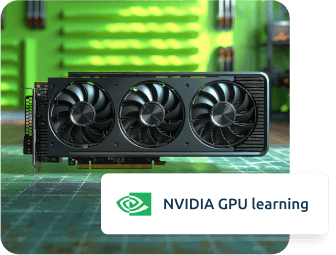
Every project is unique! Hence, MilesWeb tries to cater to all unique needs. We felicitate high scalability with multi-GPU instances. You get to choose from 1x, 2x, 4x, or 8x NVIDIA GPU instances to optimize performance and cost-efficiency, sufficing your deep learning workloads. With varied instances to deploy, you can train and fine-tune your AI models by selecting the most suitable configurations.


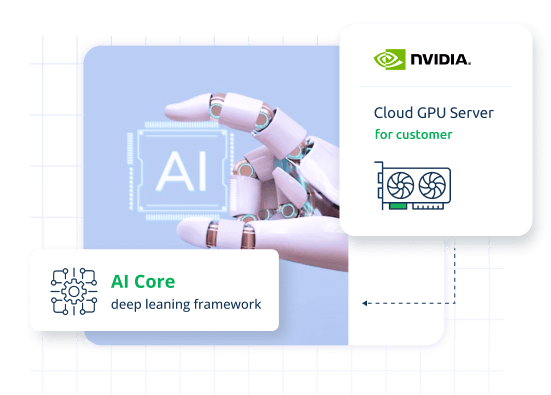

Dynamic computational graph for research and experimentation.

High-level API for building and training models.

Convolutional neural network framework with high efficiency.

Foundation for building deep learning models.
Hear what our valued customers have to say
We highly appreciate the kind and stellar feedback from our customers immensely.


NVIDIA GPU for deep learning FAQs
What is deep learning?
Deep learning is one of the most advanced types of machine learning, wherein data is retained by interacting with artificial neural networks. The same concept extends from how the human brain is formed, which has several layers of connected nodes that perform the processing work, making GPUs essential in deep learning.
How do you choose GPU servers for deep learning?
Choosing the cloud GPU servers for deep learning should be based on the capability to perform parallel processes, complex training, and high computations efficiently. Hence, your choice should include a GPU server that typically involves large neural networks through the utilization of large volumes of input data.
Which budget-friendly GPU servers are optimal for deep learning?
Each deep learning task is different and therefore requires different server configurations. However, basic deep learning tasks start with our entry-level NVIDIA GPUs, which are highly cost-effective and best for beginners.
Are cloud GPU servers crucial for deep learning processes?
Dedicated GPU servers can handle complex mathematical operations and heavy workloads in parallel. Hence, a graphics processor (GPU) is essential for various deep-learning processors.
Why is a GPU best for neural networks?
Cloud GPUs are purpose-built chips for performing all the parallel processing that is required in neural network training. Such large-scale parallel calculations can only take place in modern graphic processing units, and thus GPUs are the best for deep learning as they cut down on possible bottlenecks within the entire deep learning training stage.
Can I use GPU servers for tasks other than deep learning?
Yes, our low price GPU servers are used for various tasks other than deep learning. They have perfect applications in any computation-heavy activity, such as scientific research, interactive data analysis, editing of videos and movies, and much more. With the best cloud GPU cluster for deep learning, you can perform all the hefty computational tasks with ease.
What are ways to operate and overview a cloud GPU server?
There are multiple ways to manage and monitor a cloud GPU server for deep learning tasks. For instance, you can track performance, allocate resources, or run diagnostics using online available tools. Our minimal hosting plan's interfaces allow you to monitor the usage of the GPU, RAM, and running applications, making sure that the cloud-based GPU resources are well utilized.
Is it possible to change from one plan of NVIDIA GPU Cloud server to another?
Absolutely. MilesWeb ensures you get high flexibility and growth space to expand your business. Hence, we offer scalability options to change from one plan of the NVIDIA GPU cloud server to another. This streamlines the perfect management of resources like GPU, RAM, and storage according to the amount of work that needs to be done. This also ensures that the performance is maximized within your budget.
What remote desktop applications can I use on a GPU?
MilesWeb, one of the leading GPU for deep learning providers, understands the need for high-programming software and applications for current businesses. Hence, we offer high compatibility with almost all the popular remote desktop applications. Hence, you can easily work with high-infrastructure video editing tools (Sony Vegas Pro), 3D modeling software (Autodesk Maya, 3DS Max), CAD programs (AutoCAD), and graphic design tools (Adobe Creative Cloud, Photoshop, Illustrator, and Premiere) with our Cloud GPU Deep Learning hosting-enabled remote desktop plans.
Do I need a powerful PC for deep learning tasks?
While an optimized PC is always a handy solution, it is not compulsory. To utilize our GPU deep learning plans on remotely accessed desktops, even a minimal setup will do. Because all the hard work is done by the remote PC's GPU, any standard PC or thin client can be used with no loss of performance.