Sommaya Singh
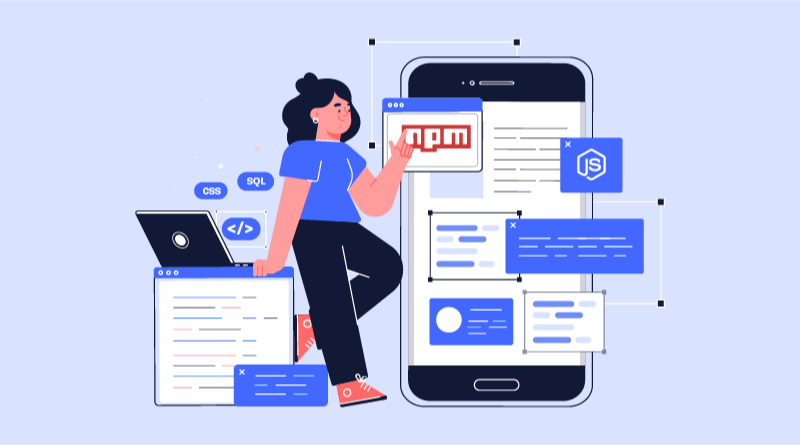
Different web development tools are used to build projects and types of web applications. Some of them are free tools, while some of them are premium. Imagine you are building your own CSS frameworks with different systems, utility classes, and the best color palettes. You will be requiring thousands of coding lines and custom components.
Like CSS and the best PHP frameworks, there is one more JavaScript online repository for web development. We will talk about the NPM (Node.js Package Manager). This guide covers the NPM full form and shows how the tool actually works for developers in real projects.
Let’s delve deeper into the insights of user-friendly Node.js scripts, and if they are found suitable, get your website ready and host it with Node.js hosting.
Table Of Content
What Is NPM? A Quick Introduction
NPM, stands for Node Package Manager, is a vital tool in the Node.js ecosystem. It is a repository of JavaScript packages and pre-written code modules that developers can easily incorporate into their projects. Think of it as a digital library that offers everything from lightweight utilities to advanced frameworks, demonstrating the core functionality of what is NPM in node js.
NPM is a crucial tool for Node.js developers, serving as a central repository for JavaScript packages. These packages are pre-written code modules that can be easily integrated into your projects, saving you time and effort. Imagine NPM (Node Package Manager) as a digital library where you can find a wide range of resources, from simple utilities to complex frameworks. When comparing Node.js vs JavaScript, NPM plays a significant role in enhancing the capabilities of Node.js by providing access to a vast collection of packages specifically designed for server-side development.
By utilizing NPM, you can efficiently manage your project’s dependencies and leverage the work of other developers. It provides a streamlined way to install, update, and remove packages, ensuring that your project remains up-to-date and compatible with the latest tools and technologies.
Why Choose NPM?
There are different reasons to choose best npm packages for your web project development.
1. Dependency Management
You type a short command, and the tool fetches and updates your NPM packages right away. Leveraging an explicit NPM tutorial for small business teams is essential while you work on development projects that rely on various libraries and frameworks.
2. JavaScript Development
Anyone starting with JavaScript uses an NPM tutorial for beginners to learn how the Node Package Manager handles installing and updating code libraries. Consider how your projects receive React, Angular or Vue files. You don’t download them; you use NPM. That is what is NPM in practice.
3. Version Control
Reviewing the true NPM meaning helps clarify how NPM helps specify and manage the package versions used in the web projects.
npm helps you specify and manage the versions of packages you use in your project. This ensures that your project remains stable and doesn’t break when package updates are made.
4. Build Tools
The Node Package Manager is often used as the conjunction web development tools like Webpack, Gulp, or Grunt. These tools optimize NPM in node js configurations for different activities like bundling, minifying, and transpiling code that can be used in web development projects.
5. Learning Opportunity
Learning npm is a good opportunity for the new age developers. The purpose of it is to inform you about the idea of a package manager and the whole open-source world.
6. Community Support
npm has a large community of developers and a huge collection of packages. If you have any problems with a particular package or need assistance, you can usually get help from the npm community or find a solution.
7. Integration
Npm (Node Package Manager) is now directly supported by numerous development environments and tools, including code editors like Visual Studio Code. This makes it possible to use npm packages even in your preferred development environment.
8. Real-World Experience
With the use of npm, learners are exposed to real-life development practices and tools. It can be a starting point for a long-term career path in software development.
What Problem Does NPM Actually Solve?
You aren’t going to code an encryption tool, an image cropper, or a calendar widget from scratch. Other developers already built them, so you reuse their files.
But managing those files by hand ruins your workflow. Without NPM, you have to find the source code on GitHub, download a zip file, paste it into your project folders, and manually check for bug fixes every week. NPM replaces that complexity. You run one short command, and the exact code you need lands in your project directory in seconds.
How Does NPM Work in a Real Project?
When you start a project, NPM creates a tiny text file called package.json. Think of this as your shopping list. Instead of saving megabytes of heavy third-party code in your Git repository, you just save this text file.
When a teammate clones your repository, they don’t need to download huge project assets from you. They run npm install, and NPM reads that text list, fetches the exact files from its cloud registry, and sets up the project workspace locally within a minute.
Essential NPM Command Line Interfaces (CLI)
There are several command line interfaces of npm that are used to run commands like installing and uninstalling packages. Checking npm versions, running package scripts, creating package.json, and more are possible with npm CLIs. If you are a Windows user, the command line interface is referred to as Command Prompt. On a Mac OS, the same is referred to as a terminal. To clarify what are NPM packages in practice, below, we have shared some real examples that you can deploy in your web projects.
Examples
- To initialize a new project:
npm init- To install React as a dependency:
npm install react- To run a script named “start” from your package.json:
npm run startHow to Download and Install NPM Packages?
Below we have shared the steps of installing and downloading npm packages. Follow these instructions for a hassle free process.
Ensure Node.js and NPM are installed to learn how to use NPM properly:
- If Node.js and npm are not already installed on your system, download the appropriate installer from the official Node.js website (https://nodejs.org/en/).
- Follow the installation instructions for your operating system.
Open a Terminal or Command Prompt:
- On Windows, open the Command Prompt.
- On macOS or Linux, open a Terminal.
Verify npm Installation:
- In the terminal, type the following command and press Enter:
npm -v- If npm is installed correctly, it will display the npm version number.
Search for the Desired Package:
- Use npm’s search command to find the package you want to install:
npm search <package_name>Replace <package_name> with the actual name of the package you’re looking for.
Install the Package Globally or Locally:
- Globally: To install the package for all projects on your system, use the -g flag:
npm install <package_name> -g- Locally: To install the package within a specific project directory, navigate to that directory and use the following command:
npm install <package_name>Verify Installation:
- After installation, check if the package is listed in your project’s package.json file.
- You can also try using the package in your code and see if it works as expected.
What Is NPM Used For?
The npm packages are useful for web development but developers also use it to build and maintain their code packages. Web developers learn what is NPM package organization to prevent disorganized local project folders before pushing code to live servers.
In npm making a way through your workflow can be easier and the development process can be handier. In this case, npm is a package manager that helps to control the dependencies required by the software. A dependency is a software that must be installed for your package to work properly. The dependencies are commonly defined in a pacakge.json file, which you will find in the npm code packages.
When we use npm, we normally run the command npm install on that JSON file to install all the necessary dependencies for a specific code package. The package.json file has the information regarding the different versions of the dependencies that the package uses so that you do not use the versions that can cause the code to fail. Also, npm provides developers with the opportunity to augment the functionality of a package without the need to create and maintain extra coding.
What is NPM Cheat Sheet?
Do you want extra shortcut commands to facilitate the web development projects using npm packages? Here is the right cheat sheet to follow.
Package management
| npm i | Alias for npm install. |
| npm install | Install everything in package.json. |
| npm install –production | Install everything in package.json, except devDependecies. |
Adding packages
| npm install lodash | Install a package. |
| npm install –save-dev lodash | Install as devDependency. |
| npm install –save-exact lodash | Install with exact. |
Listing
| npm list | Lists the installed versions of all dependencies in this software. |
| npm list -g –depth 0 | Lists the installed versions of all globally installed packages. |
| npm view | Lists the latest versions of all dependencies in this software. |
| npm outdated | Lists only the dependencies in this software which are outdated. |
Updating
| npm update | Update production packages. |
| npm update –dev | Update dev packages. |
| npm update -g | Update global packages. |
| npm update lodash | Update a package. |
Removing
| npm rm lodash | Remove package production packages. |
Summing Up
NPM (Node.js Package Manager) is an indispensable tool for Node.js developers, providing a streamlined approach to managing project dependencies and accessing a wealth of reusable modules. Understanding what is Node Package Manager architecture keeps your local development environment stable and predictable when building Node applications.
To get started with NPM and explore the vast ecosystem of packages, consider a web hosting your Node.js projects with MilesWeb. They offer reliable and affordable hosting solutions customized for Node.js applications, along with expert support to help you get the most out of your projects.
FAQs-What is NPM?
How do I install npm?
To install npm, you have to install Node.js, as npm comes bundled with it. You can download Node.js from the Node.js official website. Choose the installer for your operating system (Windows, macOS, or Linux) and run it. Follow the installation instructions, and both Node.js and npm will be installed on your system.
How do I check my npm version?
To check your npm version, open your terminal or command prompt and run the command npm -v. This will display the npm version currently installed on your system.
What is a package in npm?
In npm (Node.js Package Manager), a package is a collection of reusable code that can be shared and used across different projects. Packages are typically libraries, tools, or utilities written in JavaScript. They include a package.json file that contains metadata about the package, such as its name, version, dependencies, and scripts.
How do I install a package using npm?
1. To install a package using npm:
2. Open your terminal or command prompt and navigate to your project directory if applicable.
3. Use the command npm install
4. For a global installation, use the -g flag: npm install -g
Can I publish my own package to npm?
Yes, you can publish your own package to npm. First, create a new package by running npm init in your project directory to generate a package.json file with metadata. After adding your JavaScript code and necessary files, authenticate with npm by running npm login. Finally, publish your package using the command npm publish, and it will be available on the npm registry for others to install.