 Rajesh Jadhav
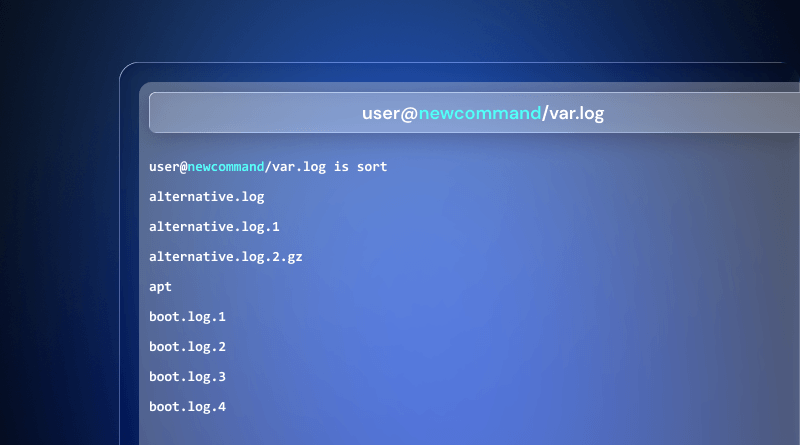
A majority of today’s internet backbone runs on Linux operating systems. Developers, sysadmins and DevOps use the username and password combination of their sysadmin credentials to manage their servers, deploy applications and monitor their systems. It is also essential that anyone using web hosting, cloud computing, or building software has knowledge of how to operate using Linux command-line tools.
The Linux Foundation’s 2024 Open Source Jobs Report states that 90% of companies utilise some type of open-source software, and that Linux remains one of the most commonly used operating systems within enterprise infrastructure. As a result, there is an increasing need for professionals who possess a working knowledge of Linux and can utilize the command line to navigate and manage these systems.
This guide will cover basic Linux commands for beginners to understand how to use them, as well as provide information about Linux commands popular in the DevOps field. In addition to this information, it will also include insights into the Linux terminal and practice with some of the most popular commands. Therefore, readers can have a secure way to practice these commands using the command-line interface.
Table Of Content
Understanding Linux Basics
A solid grasp of Linux fundamentals sets the foundation for learning command-line usage. The core operating environment in a Linux distribution is a command-line interface. It allows users to issue commands to the Linux OS.
Most administrators and IT professionals leverage the command line in their systems to directly control their systems as well as automate tasks and manage their servers much faster than they would via the GUI method of controlling a server. This method of administration forms the foundation for anyone who plans to develop or administer a Linux system through the command line.
Why Learning the Linux Command Line Matters?
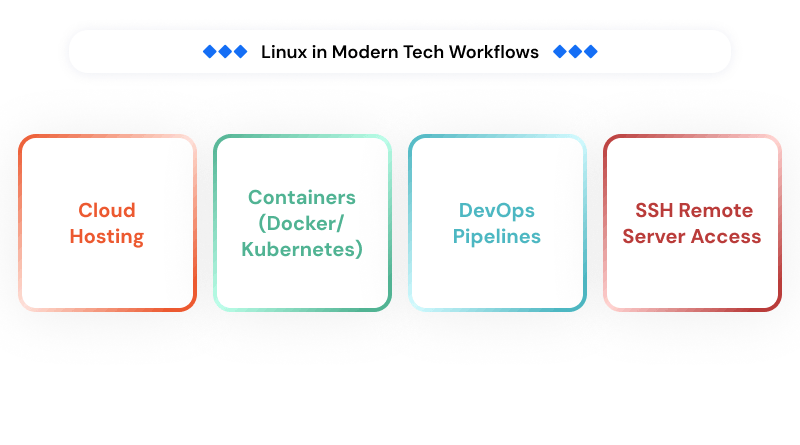
Terminal-based workflows are extremely crucial for many developers and administrators (e.g. cloud hosting, containers, automated infrastructure, etc.). Many professionals working with Linux command lines as part of a DevOps workflow manage their servers via SSH connections and command-line tools. DevOps, on the other hand, primarily relies on shell scripts to perform tasks and execute commands within a DevOps pipeline.
Statista’s 2025 report states that more than 70% of web servers worldwide use Linux as their server operating system. The open-source model, secured platform, and a large developer community contributed to Linux’s dominance in web infrastructure.
These statistics indicate that most technical professionals prefer to learn the Linux command line early in their careers. Even people just starting to work with web hosting platforms or managing a website will benefit from learning basic Linux commands.
Basic Linux Commands Every Beginner Should Know
When a user begins to learn how to use Linux commands, the first thing they want to know is how to navigate through the file system and manage directories using basic Linux commands. These are the key commands a user needs to learn when using Linux on an everyday basis.
1. pwd Command
The pwd command is used to output the current working directory in the terminal window.
Example
Command: pwdExplanation
This command allows users to identify their current location in the file system at all times when working with Linux commands. Then, the user can easily evaluate the location of files in relation to each other, which is an important skill to master in order to successfully manage files for local projects or remotely from a server.
2. Is Command
The ‘ls’ command provides a list of files and folders found on disk in the current directory.
Example
Command: lsOther commands show additional information.
Command: ls -lExplanation
This shows all file attributes (i.e., permissions, owner, and date modified) for each file on disk. Developers will use the ls command as they navigate through different directories and check for files on a server while learning the Linux command-line-based workflow.
3. cd Command
The cd command allows the user to change their current working directory.
Example
Command: cd/home/user(moves into the home directory of the current user).
Explanation
When managing applications or system configurations, it’s essential for users to be familiar with switching between directories within a file system.
Learning how to navigate through the file structure is a crucial part of mastering the basic commands of Linux.
4. mkdir Command
Command mkdir creates new directories.
Example
Command: mkdir project_folderExplanation
The mkdir command is commonly used to organise code repositories or set up project environments. Everyone who wants to learn about commands in Linux must frequently perform actions of creating and managing directories.
5. rm command
The rm command allows deletion of files and directories.
Example
Command: rm file.txtTo delete directories, use:
Command: rm -r foldernameExplanation
When server administrators are managing DevOps with Linux commands, they can use this command to clean logs or delete obsolete files from their servers.
File Management Commands in Linux
File management is an important aspect of terminal work every day. Some of the commands will deepen basic understanding of Linux and improve command-line skills.
1. cp Command
Explanation
The cp command will copy files or directories.
Example
Command: cp file1.txt file2.txtExplanation
The cp command is used by developers to make backup copies of files and directories, such as configuration files and scripts.
When professionals learn Linux for the first time, they often use the commands in conjunction.
There are also file editing tools you may need to use in conjunction with the “cp command” above.
2. mv Command
The mv command is used for moving and renaming files.
Example
Command: mv oldfile.txt newfile.txtExplanation
The mv command helps users while making changes to how they organise their project’s files, while still keeping the overall structure of the operating system.
Many Linux users practice the use of the mv command when working with files that need to be stored temporarily within a practice setting.
3. touch Command
This command creates a new empty file.
Example
Command: touch sample.txtExplanation
Developers often use this type of command when testing scripts or creating placeholder files.
Learning basic commands (like touch) will help new users become familiar with the Linux command-line–based workflow.
Linux Commands for DevOps Engineers
DevOps use Linux commands as the foundation of modern infrastructure automation. They use command-line tools to manage servers, deploy applications, and monitor systems.
1. Top command
The top command allows you to display system resource usage in real-time.
Example
Command: topExplanation
Displays CPU utilisation, memory usage, and running processes.
According to Red Hat’s 2024 State of Enterprise Open Source, demand for Linux-based infrastructure continues to grow as the development of containerised and cloud-native applications intensifies. Accordingly, DevOps relies on the use of commands such as top to monitor server health.
2. Ps Command
The command ps lists processes currently running on the Linux system.
Example
Command: ps auxExplanation
This allows the system administrator to see which services are running, enabling them to troubleshoot issues with the computer system.
3. Chmod Command
The command chmod can be used to change the permissions of files.
Example
Command: chmod 755 script.shExplanation
Managing permissions is a fundamental component of Linux basics, as it determines how users may access files and directories. Most people will spend time practising with this command as they learn Linux commands.
4. Grep Command
Grep is an application used to find lines that contain a specific pattern or series of patterns within a file.
Example
Command: Grep "Error" logfile.txtExplanation
Administrators use this command to locate messages containing the word “Error” within their server log files.
Developers (using Linux commands for DevOps) rely on Grep when troubleshooting issues within production environments.
Learning Linux Commands Through Online Practice
– Acquiring practical experience is one of the most effective ways to learn how to use a command line. Many students will use an online Linux terminal for their training before gaining access to real servers.
– The 2024 GitHub Octoverse report clearly indicates that open source contributions, as well as cloud development environments, are growing significantly in popularity, with millions of people using Linux tools on a daily basis.
– Online terminal environments allow new users of the Linux operating system to learn about the Ubuntu commands without needing to install Linux on their PC or laptop.
– Individuals who want to learn the basics of the Linux operating system often use online labs. It replicates the real-world Linux cloud server. By using this method, you can learn Linux command lines in a systematic way.
Recommended Online Linux Terminal for Practice
Online Linux terminals are frequently used by beginners because they avoid the hassle of installing a full-fledged Linux operating system.
These types of platforms allow you to practice Linux commands online via your web browser in a virtual Linux environment.
Some popular online Linux practice platforms are:
- Linux command playground tools
- Cloud-based coding environments
- Interactive Linux learning labs
Practicing with an online Linux terminal is very helpful for beginning users to safely run and practice using basic Linux commands.
Those who practice using online Linux commands regularly tend to gain familiarity with Linux command lines more quickly than those who only study theory.
Tips to Learn Linux Commands Faster
Regular practice and practical application will improve your ability to use Linux commands.
- First, start by learning the Linux basics with special emphasis on navigation, file management, and permissions. These commands are often used in real-world server use cases.
- Next, establish some sort of consistency in practicing. Getting into the habit of using an online Linux terminal every day will help promote retention of command syntax & develop familiarity with a Linux system.
- Complete multiple small projects. Practice creating folders, editing files & executing scripts. The more you familiarise yourself with basic Linux commands through these means, the better off you will be when using Linux commands.
- Lastly, analysis of the usage of automation tools within DevOps environments (shell scripts, process monitoring, and log analysis) is likely to allow for the development of a fairly solid grasp of the command line.
Anyone who continually develops command-line skills in Linux will progressively gain more confidence in performing system administration activities.
Concluding Insights
In the modern technological world, operating systems provide a level of functionality for connecting systems to the internet or coordinating work between systems on the same network. However, one particular operating system that stands out and has become widely used for these purposes is Linux. Learning Linux commands helps users gain greater control over the servers, software, and other resources that make up their computer systems.
Learning Linux commands as part of your initial training provides a foundation from which you can later grow your knowledge/experience in your role as a system administrator and as a developer conducting DevOps in a fast-paced environment. In a nutshell, it’s mandatory to learn the various Linux commands (including the command-line interface) and regularly use them throughout daily operating system tasks such as moving around within a file system, working with files located in directories, and establishing file permission levels.
Learners can practice Linux commands online through an online terminal, rather than relying on local Linux installations. Using an online terminal provides learners with the opportunity to safely run commands as they sharpen their command-line skills. Linux systems are used by developers, hosting professionals and DevOps engineers to support critical infrastructure. Learning how to perform operations using the Linux command line and understanding commands provides individuals with a valuable technical skill that is in demand in today’s IT environments.
FAQs
1. Are Linux commands case sensitive?
Yes. The Linux operating system treats upper and lowercase characters differently, meaning that while ls can be run as an executable command, the same cannot be said for an executable file called LS, as it does not execute the same command. If you want to learn about case sensitivity, it is very important when learning the basics of Linux, as it will help you to avoid making errors when running commands.
2. How do I get help for a specific command?
You can find built-in documentation for Linux commands by using the man command. Example: man ls The man command will return you to the manual page of a command. It shows you each command’s expected behaviour along with the command’s options or syntaxes. So, as a beginner, when you learn Linux commands, you will typically use the man command to understand what the command will do or how to use that command, etc.
3. How can I access my command history?
You can see the command history by using the history command. When you run this command, it returns previously run commands in the terminal console. If you are new to Linux and Linux commands, you can look at your command history using this command. You can use previous commands again to perform the same task.
4. How do I change file permissions?
You use the chmod command to change file permissions. Example: chmod 644 file.txt The above command sets read, write, and execute permissions for the owner, group, and others. When learning Linux commands for DevOps, exploring access control is crucial because if the server has been set up correctly, the security is based on how access controls are configured for each file and folder.