


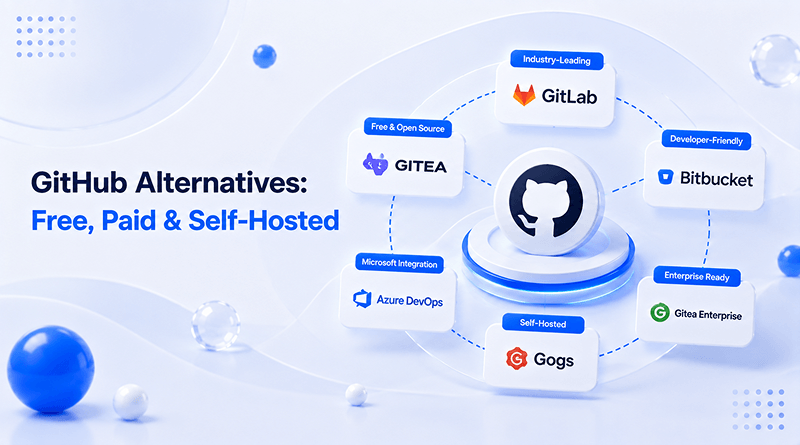
GitHub is a developer-centric community that fosters knowledge sharing among tech-savvy people. The community cloud-based platform hosts Git repositories and is one of the most widely used source code management tools that is used by 100 million+ developers. Despite its dominance, developers look for GitHub alternatives for the following reasons.
- Pricing models
- Privacy and data sovereignty concerns
- Integrated DevOps pipelines
- User-interface preferences
Self-hosted GitHub alternatives offer deeper customization where teams modify source code, develop custom plugins, or integrate proprietary tools within the Git workflow, something challenging to execute on GitHub.
The article gives a quick walkthrough of top GitHub alternatives. Discover tools that fit your team by comparing features, setup speed, and ideal use cases.
Quick Answer
- Developers move off GitHub mainly over pricing, data sovereignty, DevOps pipeline control, and UI preferences — not because GitHub lacks features.
- No single alternative wins outright: GitLab and OneDev suit full DevSecOps lifecycles, Codeberg and Gitea suit lightweight self-hosted privacy, Bitbucket suits Atlassian-locked teams.
- RAM needs vary sharply by platform — Gitea runs on 512MB–1GB, while GitLab CE needs 4GB+ to avoid CI/CD jobs failing.
- Free, fully self-hosted options include Codeberg, Gitea, Gogs, and OneDev; paid managed options include GitLab, Bitbucket, and AWS CodeCommit.
- Before switching, test 2–3 shortlisted tools against a real trial repository and CI/CD run — feature lists alone don’t reveal migration friction.
Table of Content
Also Read: What is Nextcloud?
Why Choose GitHub Alternatives?
1. Corporate Control and Data Sovereignty
Developers are reluctant to code and develop workflows controlled by tech conglomerates. To reduce the risk of platform lock-in or failure risk organizations diversify their infrastructural needs.
2. Integrated DevOps Pipelines
Teams want total control over their CI/CD workflows, something you can get with GitHub’s built-in actions. When you use self-hosted platforms, you can tweak your workflow pipelines, connect them to your own internal tools, and support complex deployment environments.
3. User-Interface Preferences
Every team member has their own preferences for user interfaces. Some of them demand custom dashboards aligned to workflows, while others prefer a minimal interface. Self-hosted platforms allow UI customization or offer alternative interfaces customized to the team’s specific workflow.
4. Vendor Lock-in and Performance Issues
Many developers report performance issues in GitHub repositories. They face migration challenges, and these performance bottlenecks lead to:
- Higher queue waiting period.
- Throttling development speed due to concurrent limits.
- Budget forecasting challenges due to fee volatility.
Also Read: What is LibreChat?
Best GitHub Alternatives: Which Are Top Solutions for Your Workflow?
| Tool | Pricing | Hosting Type | CI/CD | Best For |
|---|---|---|---|---|
 |
Custom (10K–50K compute min/mo) | Self-hosted or cloud | Native, built-in | Enterprises needing full DevSecOps lifecycle |
 |
From ₹351.37/user/mo | Cloud (Atlassian-hosted) | Built-in (Bitbucket Pipelines) | Teams already using Jira/Atlassian suite |
 |
Free | Cloud (non-profit) | Third-party (e.g., Woodpecker CI) | FOSS projects, nonprofits, civic tech |
 |
Free | Cloud | Basic, no native engine | Legacy open-source project distribution |
 |
₹96.26/user/mo (after 5 users) | Cloud (AWS-managed) | Native via CodePipeline/CodeBuild | Teams already inside AWS ecosystem |
 |
Free | Self-hosted | Gitea Actions (GitHub-compatible) | Lightweight self-hosting, privacy-focused teams |
 |
Free | Self-hosted | None (webhook-based, external CI) | Resource-constrained or personal use |
 |
Free / open-source | Self-hosted | Native, GUI-driven (no YAML) | Teams wanting all-in-one DevOps, low overhead |
1. GitLab

Pricing: Custom quotation for (10,000- 50,000 compute minutes per month).
GitLab is a premier GitHub alternative that stands out by delivering a tightly bundled, out-of-the-box DevSecOps pipeline. It has been positioned as one of the GitHub competitors featuring native CI/CD orchestration. The alternative features flatter YAML syntax for hassle-free deployment stages.
Key Features
- Integrated CI/CD pipeline
- Built-in container registry
- Provide project & issue management that is fully complete
- Free private repositories
👍 Pros
Unified DevOps ecosystem
Active community and organized documentation
⚠️ Cons
Self-hosting is resource-intensive
The interface is not easy to use for beginners
Best for
- Enterprises require lifecycle DevOps tools.
- Continuous Integration and Continuous Delivery (CI/CD) teams.
GitHub vs. GitLab
Feature
GL
GitLab
GH
GitHub
Primary focus
Complete, built-in DevOps/CI-CD lifecycle tool.
Source code management and developer community collaboration.
CI/CD pipeline
Native, highly mature built-in CI/CD tools out of the box.
Handled via GitHub Actions — powerful, but relies on marketplace plugins.
Repository management
Strong focus on centralized, private enterprise project management and self-hosting.
Exceptional for open-source projects, public collaboration, and third-party integrations.
Code review & workflow
Uses “Merge Requests” with deeply integrated security and compliance gating.
Uses “Pull Requests” optimized for fast review, discussion, and social coding.
2. Bitbucket
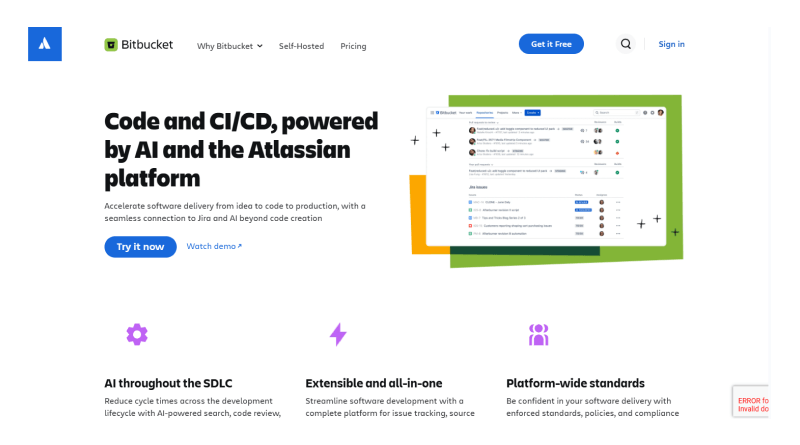
Pricing: Starts at ₹351.37 per user per month
Bitbucket leverages Jira for streamlining the team’s workflow. It helps teams migrate from planning to production with less context switching and manual intervention. The Git-based source code repository hosting services support Atlassian tools such as Jira and Trello, streamlining workflow.
Key Features
- Built in CI/CD (Bitbucket pipelines) environment
- Jira integration
- AI-powered development
- Flexible deployment
GitHub vs. Bitbucket
👍 Pros
State-of-the-art Atlassian integration
Open source for small teams (up to 5 users)
⚠️ Cons
Accepts only requests for the Git repositories that are hosted exclusively by it
Best for
- Enterprise software teams
- Proprietary business projects
Feature
BB
Bitbucket
GH
GitHub
Ecosystem integration
Native, deep integration with the Atlassian suite (Jira, Confluence, Trello).
Broad, open marketplace with integrations for hundreds of third-party tools.
Target audience
Enterprise teams and businesses already locked into the Jira workflow.
Individual developers, open-source communities, and fast-moving tech teams.
Repository structure
Built around “Projects” to group multiple repositories cleanly for corporate teams.
Built around individual user/organization profiles and a central social feed.
CI/CD approach
Uses Bitbucket Pipelines, configured directly via YAML within the platform.
Uses GitHub Actions — reusable workflows with a massive community template library.
3. Codeberg
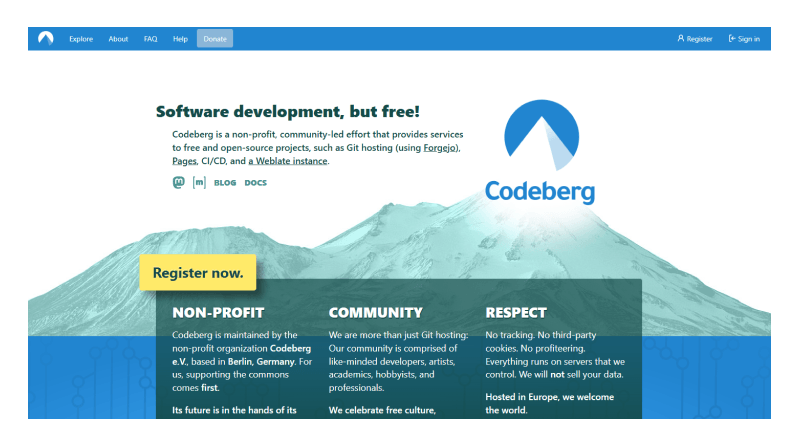
Pricing: Free (Community-funded)
Codeberg is a Berlin-based non-profit community with powerful free and open-source projects using Forgejo, Codeberg Pages, CI/CD, and a Weblate instance. Moreover, it provides a privacy-respecting home exclusively for free and open-source software (FOSS) projects.
Key Features
- Privacy-first policy
- Community-driven governance
- Git hosting with issues
- Zero-cost signups
👍 Pros
Strict privacy compliance
Free and open-source friendly
⚠️ Cons
Limited enterprise features
CI/CD requires third-party services (e.g., Woodpecker CI)
Best for
- Civic tech and nonprofits
- Open source software developers
GitHub vs. Codeberg
Feature
CB
Codeberg
GH
GitHub
Platform model & ownership
Non-profit, community-driven, and powered by open-source software (Forgejo). Hosted in the EU.
Proprietary, for-profit platform owned by Microsoft. The global industry standard.
Primary focus
Maximum privacy, data ownership, and strict support for Free and Open Source Software (FOSS).
Mass collaboration, enterprise scalability, and advanced AI-assisted development (GitHub Copilot).
CI/CD pipelines
Supports CI/CD, but generally requires manual setup and bringing your own runners (e.g., via Woodpecker CI).
Features GitHub Actions, a highly mature, fully integrated CI/CD system with built-in runners.
Ecosystem & integrations
Minimalistic and lightweight. Lacks a large marketplace and deep third-party integrations.
Massive ecosystem with thousands of marketplace plugins, integrations, and pre-built workflows.
4. SourceForge

Pricing: Free
SourceForge is a freemium software library with version control rather than a traditional, general-purpose web hosting provider. It focuses primarily on distributing open-source software. Here, developers store their open-source code, and the platform offers free project web hosting through unique subdomains (e.g. projectname.sourceforge.io).
Key Features
- Analytical tools and massive directory
- Project management and bug tracking
- Malware scanning
- B2B software comparison
👍 Pros
Highly trusted by open-source developers
Multiple version control options
⚠️ Cons
Obsolete user interface
Substandard for modern teams
Best for
- Community-driven projects
- Open-source developers
GitHub vs. SourceForge
Feature
GH
GitHub
SF
SourceForge
Primary focus & ecosystem
A modern, collaborative developer platform built entirely around Git version control, social coding, and agile team workflows.
A legacy directory and distribution platform focused heavily on hosting and downloading open-source software binaries.
Version control systems
Strictly optimized and built entirely around Git repositories.
Supports multiple version control systems — projects can manage code via Git, Subversion (SVN), or Mercurial.
CI/CD & automation
Features GitHub Actions, a highly mature, fully automated native CI/CD system powered by a massive marketplace of workflow templates.
Provides basic project management and issue tracking, but lacks a built-in, modern native CI/CD pipeline engine.
Distribution & release
Focuses on tagged source code releases, GitHub Packages, and direct code collaboration without platform-placed advertising.
Relies on a global mirror network for fast, bandwidth-heavy file downloads, offering detailed analytics and ad-supported monetization.
5. AWS CodeCommit
Pricing: ₹96.26 per user per month (only after exceeding 5 users)
AWS CodeCommit is a completely managed and secured Git-based source control service. It allows teams to securely host private repositories and collaborate on code without managing proprietary hardware or scaling infrastructure. Since 2025, it has been operational as an enterprise-focused software development repository rather than a consumer-friendly platform.
Key Features
- Managed Git hosting
- IAM (Identity and Access Management)-integrated access control
- Works with CodePipeline & CodeBuild
👍 Pros
Zero maintenance needed
Higher scalability potential
⚠️ Cons
Exclusive for AWS users
Interface is basic compared to GitHub
Best for
- Enterprises using AWS
- Teams need scalable Git hosting
GitHub vs. AWS CodeCommit
Feature
GH
GitHub
AWS
CodeCommit
Primary focus & use case
A global, standalone platform built entirely around source code management, open-source or private collaboration, and developer workflows.
A fully managed Git repository service built strictly to serve as a secure, infrastructure-adjacent hosting layer within AWS.
Access control & security
Managed via GitHub accounts, organizations, SSH keys, and third-party SAML/OIDC identity providers.
Governed natively by AWS IAM policies, IAM Identity Center, and credential helpers, allowing seamless permission isolation within an AWS account.
CI/CD & integration
Driven by GitHub Actions, featuring a massive, public marketplace of thousands of community-built automation templates and runners.
Integrates natively via automated API and event triggers directly into AWS CodeBuild, AWS CodeDeploy, and AWS CodePipeline.
Collaboration & UI tools
Offers a highly interactive, feature-rich interface for Pull Requests, advanced code reviews, markdown discussions, and issue tracking.
Provides a minimalistic, utilitarian console optimized for straightforward code storage, programmatic triggers, and deployment gating.
6. Gitea

Price: Free
Gitea is a lightweight GitHub alternative suitable for solo developers seeking an independent, self-managed hub without administrative overhead. It is fast and actively runs on as little as 200 MB RAM. Its intuitive UI strongly mimics GitHub’s classic layout. Its built-in CI systems are heavily compatible with existing GitHub Actions syntax.
Key Features
- Integrated container and package registry
- Built-in code review tools
- Similar interface to GitHub
- Absolute privacy over your code
👍 Pros
Easy CI/CD migration
Resource efficiency
⚠️ Cons
Smaller ecosystem
Security and spam targets
Best for
- AI-assisted coding
- Enterprise ecosystems
GitHub vs. Gitea
Feature
GH
GitHub
GT
Gitea
Hosting & ownership
A proprietary, closed-source SaaS platform owned by Microsoft — enterprise self-hosting requires heavy infrastructure.
A free, open-source Git service designed primarily for straightforward, independent self-hosting and total data ownership.
Primary focus & ecosystem
Global open-source collaboration, a massive developer community, and thousands of third-party marketplace integrations.
Providing a secure, private, and fast internal Git repository for small teams, homelabs, and privacy-conscious organizations.
CI/CD & automation
Driven by GitHub Actions, offering fully managed cloud runners and an extensive marketplace of pre-built workflows.
Features Gitea Actions, which supports many GitHub workflow templates, but requires users to provision and manage their own local runners.
Resource requirements
Cloud-based SaaS removes local resource needs, but self-hosted GitHub Enterprise is incredibly resource-heavy.
Incredibly lightweight and highly efficient — easily runs on minimal hardware (such as a Raspberry Pi) with very low RAM and CPU usage.
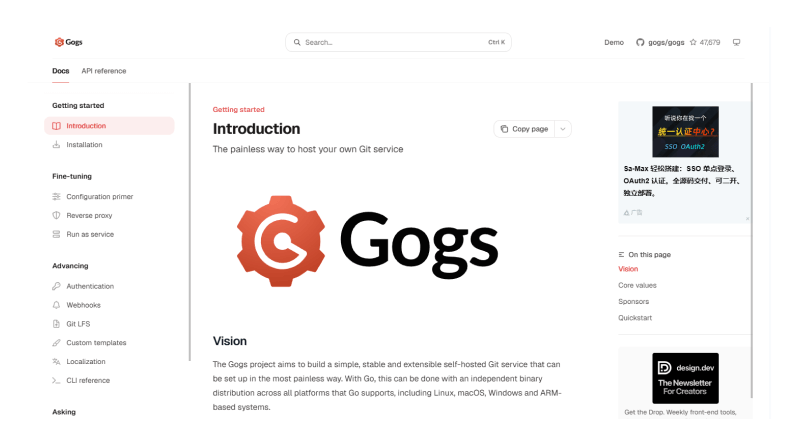
7. Gogs
Pricing: Free
Gitea is a replica of Gogs launched in 2014 as a self-hosted Git service written in the Go programming language. It is a lightweight GitHub and GitLab alternative that pulls requests by operating on minimal hardware. The platform complies strictly with data privacy, where your code is stored on your local machine and not a third-party cloud.
Key Features
- Migration tools
- Web-based code browser
- Git Large File Storage (LFS)
👍 Pros
Easy installation
Smaller ecosystem
⚠️ Cons
No advanced CI/CD
No built-in project management
Best for
- Resource-constrained deployments
- Personal code archiving
GitHub vs. Gogs
Feature
GH
GitHub
GO
Gogs
Hosting & code base
A proprietary, closed-source SaaS platform owned by Microsoft. While cloud-first, its enterprise self-hosted option requires heavy infrastructure.
A 100% open-source, community-driven Git service written in Go, explicitly built for ultra-simple self-hosting and total data control.
Primary focus & community
Acts as the global hub for open-source collaboration, offering a massive developer social ecosystem and thousands of marketplace integrations.
Focuses strictly on being a minimal, private, and independent code repository for single developers, homelabs, or small teams.
CI/CD & automation
Driven by GitHub Actions, a highly mature automation engine with managed cloud runners and an expansive library of pre-built workflow templates.
Lacks a native, built-in CI/CD platform; relies entirely on webhooks to trigger external, third-party automation servers like Drone or Jenkins.
Performance & footprint
Cloud-managed by default, but local enterprise instances demand high memory, storage, and CPU allocations to function.
Famous for its exceptionally low resource consumption; compiles into a single binary that can easily run on a Raspberry Pi or low-end VPS.
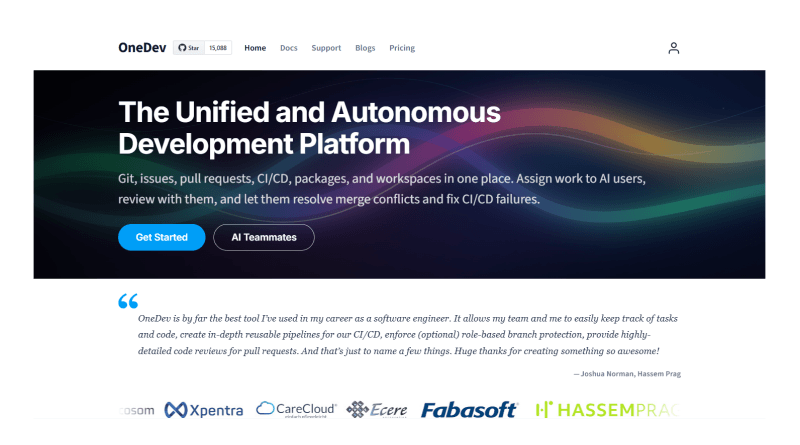
8. OneDev
Pricing: Free
OneDev is an open-source Java-based alternative to GitHub or GitLab. Like Gitea and Gogs, it is also a lightweight repository. It operates on a single JVM (Java Virtual Machine) process, making it effective compared to heavier platforms. OneDev features built-in support for Docker, NPM, Maven, NuGet, and PyPI packages. Moreover, it streamlines the entire software development lifecycle by including a symbol navigation option.
Key Features
- Deep CI/CD integration
- Use regular expressions to search for code.
- Built-in package registry
- Built-in AI assistant
👍 Pros
GUI-driven CI/CD pipelines
Exceptional UI performance
⚠️ Cons
Fewer enterprise add-ons
Hosting overhead
Best for
- Teams making the switch from Jenkins to YAML
- Strict containerized workflows
GitHub vs. OneDev
Feature
GH
GitHub
OD
OneDev
Hosting & ownership
A proprietary, cloud-first SaaS platform owned by Microsoft. Enterprise self-hosting is available but highly complex and costly.
A 100% open-source (MIT licensed) platform built specifically for straightforward, independent self-hosting and full data control.
Primary focus & ecosystem
The global standard for open-source collaboration, relying heavily on a massive developer community and thousands of third-party marketplace integrations.
A completely self-contained, all-in-one DevOps platform providing built-in Git, issue tracking, Kanban boards, and package registries right out of the box.
CI/CD & automation
Driven by GitHub Actions, utilizing an expansive marketplace of community-built workflow templates and managed cloud runners.
Features a highly visual, built-in CI/CD engine with an intuitive GUI (no YAML writing required) that scales seamlessly natively via Docker or Kubernetes.
Performance & footprint
Cloud-based SaaS handles the load for you, but self-hosting GitHub Enterprise requires massive memory, CPU, and infrastructure overhead.
Exceptionally lightweight, performant, and simple to maintain, designed to run efficiently as a single service even on limited hardware resources.
Also Read: What is n8n?
How to Choose the Right GitHub Alternative?
Choosing the right GitHub alternative dictates the user experience for developers, data sovereignty, and infrastructure bills. As GitHub dominates the market, finding the right substitutes relies on prioritizing open-source compliance, strict data regulations, and seamless enterprise management.
Here is the checklist that will guide your choice of the most suitable GitHub alternative.
01 — Hosting
The Hosting Paradigm
SaaS vs Self-Hosted
- Compute & storage costs
- Root / server access
- Backup & uptime ownership
02 — Automation
The CI/CD Paradox
Native vs Third-Party
- Built-in runners vs external
- YAML complexity
- Ecosystem pipeline support
03 — Workflow
Toolchain Lock-In
Jira/Slack vs Standalone
- Existing integrations
- Migration friction
- Cross-tool dependencies
04 — Governance
Ethical & Licensing
Open-Core vs FOSS
- License compliance
- Telemetry & data collection
- Community vs corporate control
The Closing Line
Choosing a GitHub alternative comes down to the team values, budget, and deeper DevOps customization. The blog compares the best GitHub alternatives, but no single tool outranks the others. Codeberg and Gitea are lightweight, privacy-conscious platforms that offer self-hosted options. Bitbucket aligns with the Atlassian ecosystem, while Gogs and OneDev are suitable for highly customized deployments.
Before switching, it is worth testing two or three shortlisted tools against actual workflow rather than relying on feature lists alone.
Start a trial repository, perform a sample CI/CD pipeline, and onboard team members for product training. This demonstration may highlight the learning gap which should be filled by in-house developers or upskilling programs.
For teams, particularly those that focus on open-source collaboration and a huge plugin economy, GitHub is a good default host. The self-hosted and alternative platforms described here are compelling, viable options for those facing growing expenses, compliance mandates, or a need for more control in their infrastructure.
FAQs
1. What is the best open-source alternative to GitHub?
The best open-source alternatives are Gitea for lightweight efficiency and GitLab Community Edition (CE) for full-scale DevSecOps. Both are excellent self-hosted platforms that give you complete data sovereignty and eliminate reliance on proprietary cloud infrastructure.
2. Gitea vs. GitLab — which should I self-host?
Choose Gitea if you need a lightweight, easy-to-manage Git server that can be deployed quickly. If your team requires advanced features like built-in CI/CD, a container registry, and compliance tools, GitLab CE is the better choice.
3. How much RAM do I need to self-host a Git server?
Memory can be from 512MB to 4GB+ depending entirely on your selected platform. Gitea is very light on resources, running effectively with 512MB to 1GB while GitLab CE needs at least 4GB of RAM to avoid background jobs and CI/CD operations running out of memory.
4. Why choose a self-hosted Git platform?
Self-hosting offers 100% data privacy, complete IP control, and compliance with local data sovereignty. It safeguards your organization against third-party cloud outages, sudden charges, and changes to the third-party terms of service.

The Author
Popular on MilesWeb
Watch this video to check out a sneak peek of WordCamp Kathmandu! And yes, then continue reading the blog. So, recently we embarked on a journey to fly to the…

More articles like this







For our blog visitors only
Get 10% OFF on Hosting
Get 10% OFF on Hosting
Special Offer!
30
MINS
59
SECS
Claim the discount before it’s too late. Use the coupon code:
BLOGFAN10

Featured In





Note: Copy the coupon code and apply it on checkout.