
 Sommaya Singh
Supabase and MongoDB let you set up the backend quickly, but they start from opposite ends of the database world. MongoDB is a document database you reach for when you need flexible, schema-light collections. Supabase is a BaaS (Backend as a Service) powered by PostgreSQL, so underneath the developer-friendly tooling you get a relational engine to handle JSON documents and vector embeddings.
MongoDB is a standalone document database built around flexible, schema-light collections that scale horizontally across many nodes. Teams rarely regret the database engine itself; they regret picking it for the wrong reason, months before a migration becomes unavoidable.
The guide breaks down the real differences in data modelling, scaling, pricing, and AI/vector search support and ends with a decision framework instead of a verdict.
Table of Content
What is Supabase?
Supabase is the premier open-source Firebase alternative, offering a set of backend services built around a PostgreSQL database. If you already know relational databases and SQL, you’ll feel right at home with Supabase, which adds on top of that several modern features that make development faster.
Supabase Key Benefits
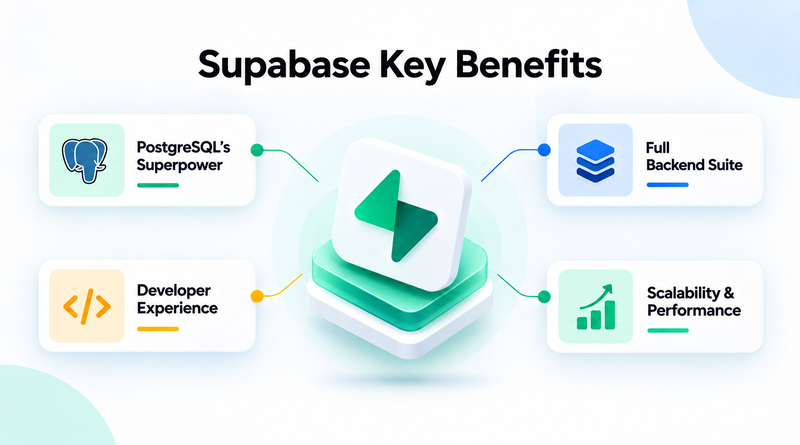
- PostgreSQL’s Superpower: Supabase is powered by PostgreSQL and inherits all of its reliability, strong data integrity, and rich ecosystem of tools and expertise.
- Full Backend Suite: Supabase is a complete platform with authentication, real-time subscriptions, storage, edge functions (via Deno), and of course the database. These batteries cut down your backend infrastructure’s setup overhead.
- Developer Experience: Supabase offers a simple method to connect the frontend to automatically generated APIs (REST and GraphQL) based on the database schema. It has RLS (Row-Level Security) policies baked into PostgreSQL, providing fine-grained access control out of the box.
- Scalability & Performance: PostgreSQL has traditionally scaled vertically, but Supabase’s managed service has optimizations that make it simple to scale for many startups’ needs. The real-time part is where it really shines for applications that require real-time updates.
What is MongoDB?
MongoDB brought the democratization of database choices to startups by making the NoSQL document model popular. It stores data in flexible, JSON-like documents, which have made it incredibly attractive for apps with evolving schemas or lots of unstructured data.
MongoDB Key Benefits
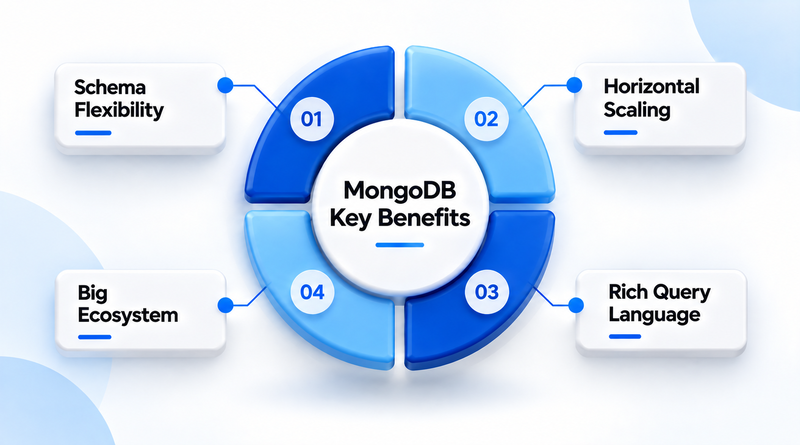
- Schema Flexibility: You don’t have to define a schema up front with the document model. This is especially useful for rapid prototyping and when you work with heterogeneous and evolving data types.
- Horizontal Scaling: MongoDB was built with horizontal scaling in mind from day one. This makes it a good candidate for applications that require massive data growth and high write loads. Sharing lets you spread data across many servers.
- Rich Query Language: MongoDB’s query language is powerful and expressive, enabling complex aggregations and manipulations of data directly inside the database.
- Big Ecosystem: MongoDB has a mature community, a lot of documentation, and many tools and drivers in many programming languages. It’s a well-trodden path for developers.
Supabase vs. MongoDB: Core Features
Feature
SB
Supabase
MG
MongoDB
Database type
Relational (PostgreSQL)
Document / NoSQL
Schema
Structured, enforced (with JSONB flexibility)
Flexible, schema-less (BSON documents)
Query language
SQL (Structured Query Language)
MQL (MongoDB Query Language)
Scaling approach
Primarily vertical + read replicas
Native horizontal sharding
Authentication
Built-in (Supabase Auth)
Requires third-party / custom setup (or Atlas App Services)
Realtime data sync
Built-in real-time subscriptions
Change Streams (available, less native to app layer)
File storage
Built-in storage service
Requires external integration (e.g., GridFS or S3)
Auto-generated APIs
REST & GraphQL auto-generated from schema
Driver-based access; no native auto-API
Edge functions
Built-in (via Deno)
Not native; requires external serverless setup
Access control
Row-Level Security (RLS) in PostgreSQL
Role-Based Access Control (RBAC) at DB/collection level
Vector / AI search
pgvector extension
MongoDB Atlas Vector Search
Ecosystem maturity
Newer, growing fast
Mature, extensive community & tooling
Best for
Structured data, rapid MVP, built-in auth/storage needs
Unstructured / evolving data, large-scale distributed apps
Supabase vs. MongoDB: Core Architectural Differences
1. Data Integrity & Relationships vs. Schema Agility
- Supabase (Postgres): Supabase is built on a structured and explicit database level, which ensures data integrity. It removes the risk of data duplication.
- MongoDB: Per-document schemas, dynamic. By default, the database does not enforce global structural invariants; schema enforcement is pushed into the application code. You can have very nested, varying, or unstructured data structures for a single document without complex joins.
2. Model and Query Processing
- Supabase (SQL): Good for complex joins of multiple tables, analytical aggregations, and strict transactional consistency (ACID) between different entities.
- MongoDB (MQL): Queries can target nested JSON structures directly, using the MongoDB Query language and Aggregation Pipelines. It does support multi-document transactions and lookup stages, but joining across distributed collections is far pricier than SQL joins.
3. Scaling Topology
- Supabase: Powered by PostgreSQL’s battle-tested single-node performance and read replication. Massive horizontal write scale requires explicit database extensions.
- MongoDB: Built for distributed architecture. Data is partitioned by infrastructure that offers built-in support for high content throughput and multi-region deployment.
Supabase vs MongoDB: Which One is Right For You?
Use Supabase if:
- Relational data: Your app needs tables of structured data, foreign keys, and complex joins.
- If you have PostgreSQL expertise: If your team prefers to write plain SQL queries and uses the standard PostgreSQL tools.
- No Vendor Lock-In: It’s open-source, and you want the freedom to self-host your backend or export your data whenever you want.
- Advanced Security: You needed an RLS (Row-Level Security) to be able to enforce strict data access control at the DB level, not only at the application level.
- AI & Vector Search: You are building Retrieval-Augmented Generation (RAG) or AI features using vector embeddings with pgvector.
Use MongoDB if:
- Evolving or Unstructured Data: Great for CMS, product catalogs, or user profiles where data attributes change often and rigid table structures hamper development.
- Fast read/ Write Size: It performs impressively with heavy-traffic workloads and horizontal scaling across multiple servers.
- Hierarchical and Self-Contained Data: Useful when associated information is stored in a single document, rather than being partitioned across multiple normalized relational tables.
- Real-Time Analytics and Logging: Captures fast-moving operational data, clickstreams, or logs that do strict document-based aggregations.
Common Mistakes to Avoid
1. Choosing NoSQL Just Because It Sounds “Flexible”
Schema flexibility is a genuine advantage for evolving data, but it should not be the sole reason for choosing a NoSQL database. If the data is inherently relational, forcing it into the MongoDB document model means rebuilding relation logic manually later.
2. Underestimating Query Complexity
SQL’s join-based querying handles complicated relational logic more naturally than MongoDB’s aggregation pipeline. Teams that do not participate in this process end up writing increasingly complex aggregation stages to replicate a simple SQL join.
3. Ignoring Vendor Lock-In
Supabase’s auto-generated APIs, RLS policies, and edge functions are powerful but rely on them migrating to a different backend later. Similarly, MongoDB Atlas-specific features (like Atlas Search or Atlas Vector Search) tie you to their managed service.
4. Planning to Scale
Vertical scaling (Supabase/PostgreSQL) and horizontal scaling (MongoDB) need different architectural decisions from day one. Retrofitting a system built for one scaling model to work like the other is expensive and a disruptive migration.
5. Treating Built-In Features as “Free” Infrastructure
Supabase’s built-in auth, storage, and real-time features save you setup time, but they consume resources and contribute to usage limits/pricing tiers. Don’t think “included” means “unlimited.”
Conclusion
The decision between Supabase and MongoDB ultimately hinges on whether your application requires a relational structure or document flexibility. If you want a powerful, instant backend-in-a-box built on Postgres, ideal for rapid SaaS development, real-time apps, and structured AI vector workflows, Supabase is the ultimate choice.
MongoDB remains the undefeated champion for handling unstructured, polymorphic big data and high-velocity writes that need ultimate schema flexibility and massive horizontal scaling.
FAQs
1. Which is better, Supabase or MongoDB?
The architecture between Supabase and MongoDB is not right or wrong – they both address different aspects of the architecture. While Supabase is a relational database, based on PostgreSQL, which is good for structured data and complex queries, MongoDB is a NoSQL database that is mainly used for storing flexible, unstructured data and is well suited for horizontal scaling.
2. Can Supabase be used in place of MongoDB?
Supabase is a good option for some users, but it can be considered a direct replacement for MongoDB as it uses a different database paradigm. You can move from NoSQL to relational SQL by moving to Supabase, but MongoDB’s document-based storage system is difficult to replicate.
3. Which is easier to use, Supabase or MongoDB?
MongoDB is easier for JavaScript developers as it uses JSON-like records. Supabase is also easy to set up because it provides an instant backend with built-in authentication, storage, and auto-generated APIs, all available out of the box.
4. Am I allowed to host Supabase myself?
Yes, Supabase is completely open-source and can be self-hosted using Docker. They have official Docker Compose templates so that you can deploy the whole stack of the backend (database, auth and APIs) into your own infrastructure.