 Jyoti Prasad
When you use Ollama, you get your first model up, define its web hosting, and has it running. Here, everything appears to be great. There’s nothing that feels out of place; it works perfectly, and you could not ask for more.
You have been working on a super-critical project as a software engineer, and you are no longer just asking general-interest questions—you are now evaluating large data sets, reviewing thousands of pages of documentation, and developing something that requires structure, memory, and the ability to be replicated repeatedly.
A single terminal window no longer suffices to accommodate your work.
Now you’re starting to think the following:
- Where do I manage everything?
- How do I get AI to read my internal files / documents?
- How do I make it accessible to my entire team?
- Will the best VPS hosting for AI workloads manage it?
At this point, you’re beginning to see a real shift in your thinking.
Learn more about: What is Ollama?
While Ollama does a great job by simply answering the “what” question (i.e., executing a model locally with the least amount of effort), the actual day-to-day workflow of modern software development requires more from your technology resources than just executing your work; it also requires the ability to provide a platform that supports usability, scalability, and context.
This is where Ollama’s competitors can fill in the gaps.
These applications provide additional capabilities beyond executing AI models; they are a means of extending the capabilities of your local AI:
- Some provide a graphical interface instead of a terminal window.
- Some function as an on-premise equivalent of the OpenAI API.
- Some allow your AI to “read” and “understand” your internal documents.
Ultimately, we are transitioning from executing models as an end-user to developing a comprehensive solution centered on your local AI. In this blog, we’ll explore the best Ollama alternatives that help you do exactly that—without compromising on privacy or performance.
Table Of Content
The Contenders of Ollama Hosting
All alternatives to Ollama have a different goal, feature set, and functionalities to perform. Some of the tools are easy to use, while some of them allow for a production-level deployment, and a few are extremely tuned for performance and control. Rather than just comparing the tools randomly, let’s categorize each in terms of its best use cases and ideal work scenarios. This way, you have the best open-source alternatives to Ollamas, specifically designed for your needs.
A. The visual learner: LM Studio
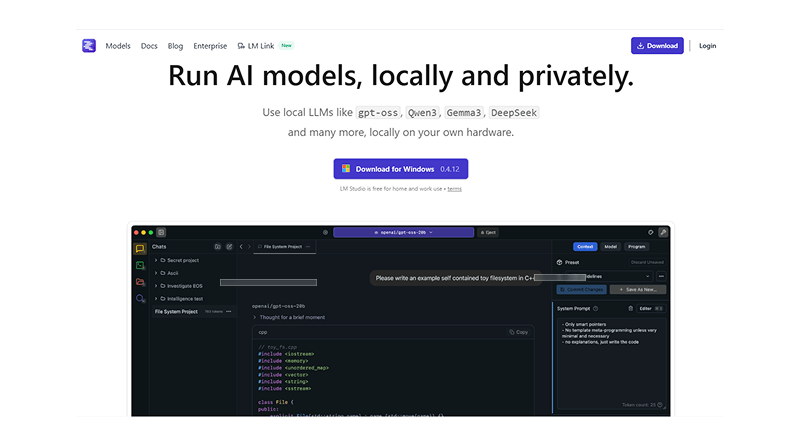
If Ollama feels as though you are in a black terminal, LM Studio lets you have the actual feeling of being in an application. This is designed for those who need to see what is going on and have control with ease.
Top features of LM Studio
What makes LM Studio so special? LM Studio replaces the command-line interface with a clean and easy-to-understand GUI. With LM Studio, you can:
- Browse and download models right from Hugging Face
- Chat with models in a structured manner
- Watch the current usage of CPU and RAM simultaneously while running the model.
The last feature is huge; instead of guessing whether or not your computer has enough computing power to run a model, you can actually see whether your computer is running on the model or not. This makes testing, and therefore experimentation, much more practical.
Important Read: Ollama Models List: Top AI Models
Another important feature of LM Studio that stands out is that it helps with quantization. Quantization allows you to run large AI models on limited hardware by reducing the size of those models to a more reasonable size. It’s done through compression that is similar to putting a large file into a smaller zipped folder.
Best For:
- For users moving from the Ollama app to Ollama-based platforms.
- Developers are looking for a way to use visually oriented tools to create their applications.
- Users who want to try different-sized models (small, medium, large, etc.) and experiment with hardware resources (CPU, GPU, etc.) are needed to run an AI model.
B. Enterprise architect: Local AI
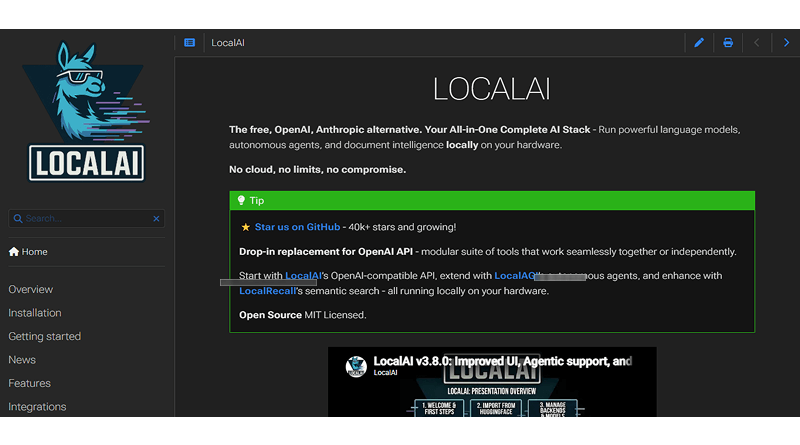
While “LM Studio” provides an ease-of-use option for developing AI-based applications, “LocalAI” provides an opportunity to run GPU-enabled cloud hosting for AI applications and provide varying degrees of power. In simple language, LocalAI is more than just a tool; it is a layer of infrastructure.
Top features of LocalAI:
LocalAI acts as a drop-in replacement for “OpenAI” APIs; thus, for any company using OpenAI APIs, they can quickly and easily switch over to LocalAI with minimal coding changes – while still running on local servers.
Capabilities of LocalAI will allow for:
- Text generation (ChatGPT style)
- Image generation
- Audio to text (speech to text)
- Basic video processing
- A single unified API for all of these capabilities
By having a single system (LocalAI system / each company would use their own LocalAI server) for multimodal AI, users of LocalAI would not need to use many different tools for the multimodal aspect of AI.
Best For:
- Start-up companies want to develop products using AI.
- Development teams that need better control on their infrastructure.
- Any company that needs to handle private data, public data, or proprietary data.
C. Knowledge Workers: AnythingLLM
AnythingLLM has shifted the AI surrounding it dramatically. Now that we can use specific terms (ideal prompts) rather than generic phrases to ask questions about AI, we can get more precise answers. AnythingLLM allows us to get information specific to our company using RAG (Retrieval-augmented generation software).
Top features of AnythingLLM
While some may see the RAG process as complicated, this is simply how it works. To get started, users need to do the following:
- Inside the tool, you can upload any type of document, including PDF, DOC, notes, etc.
- Once the documents have been uploaded, the system wall automatically turns these documents into a search-optimized knowledge base (vector database).
- Once everything has been uploaded and processed, the user can directly ask questions specific to their company’s data rather than using general knowledge found on the internet.
This allows users to receive more relevant/accurate answers to their questions rather than using generalized answers.
The system can also:
- Work with existing models within Ollama, or allow for independent models to run.
- Retain long-term context and conversation history.
- Work as memory for your workflows.
Best For:
- Writers & SEO specialists producing content.
- Researchers working with large-sized document collections.
- Teams that maintain a common information base (internal) about how their organization can accomplish tasks.
D. Hard Core Optimizer: llama.cpp
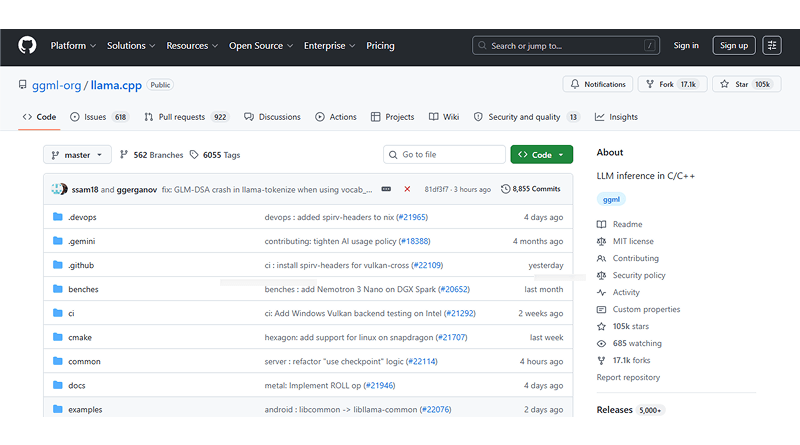
If you have used Ollama or locally based AI tools, there is a good chance that you have already utilized llama.cpp to accomplish it. Most people never have direct contact with this layer, yet it provides the majority of what we see on a daily basis from an AI perspective.
What makes llama.cpp different is that it has an underlying C++ inference engine for many different tools.
Top features of llama.cpp
Running llama.cpp directly on your machine gives the following:
- A deep control over memory resources (VRAM/RAM)
- fine-tuning performance settings
- Capability to run models on CPU-only systems efficiently.
This has no fancy user interface or shortcuts. It has only strict performance and control to squeeze every ounce of computing resource out of your machine. llama.cpp is the best. When you want to extract maximum power from your machine.
Best For:
- Advanced programmers and Linux users.
- Performance-centric setups.
- Low-resource machines running AI.
Comparative Analysis: Which One Fits Your Hardware?
| Tool | Primary Interface | Best Use Case | Multi-Modal? | Setup Level |
|---|---|---|---|---|
 |
CLI (Terminal) | Quick dev work | Yes (Vision) | 1 Command |
 |
GUI (Desktop App) | Experimentation | Limited (Mostly Text) | 1 Installer |
 |
API / Docker | Production API | Yes (Audio/Image) | Advanced / Docker |
 |
Web-style UI | Document Chat | Yes (Documents) | Simple Installer |
 |
CLI / Backend Engine | Performance & Control | Limited (Model-dependent) | Advanced |
Each of the tools solves one of the limitations of the Ollama platform:
- LM Studio: Ease of use through a graphical user interface.
- LocalAI: Ability to scale the solution horizontally.
- AnythingLLM: Providing additional context or memory.
- llama.cpp: Providing efficient performance and control.
Understanding which of these four tools is right for you depends on the problem you want to solve. So before choosing your platform, analyze your needs thoroughly.
Strategic Advantage of Using Ollama Alternatives
1. Technical Security Benefit
For some, running local AI is merely a technical preference or hobby. However, in reality, local AI provides companies with a significant advantage.
When you use AI cloud hosting technology, your data doesn’t just disappear after you hit “send.” Even with privacy promises, you can’t be 100% sure where your information actually ends up. Several of these factors include:
- The location of the processing of your data
- The length of time your data is stored
- If it is to be used to help improve future versions of the model
These are just some of the elements that create what many teams refer to as “the leaky bucket problem.” For example, you are providing valuable information to the AI model but have little to no control over where the information may ultimately be used.
Valuable input examples include the following:
- Business strategy
- Customer data
- Internal documents
- Content templates
2. Implications of Local AI
With the use of local AI tools (e.g., Ollama or LM Studio), all processing is done on your own computer/server, meaning.
- Your data does not leave the security of your environment before processing.
- No external API access is necessary.
- No third-party logging/monitoring is captured.
- Your data cannot be inadvertently exposed to hackers or unintended recipients.
To sum up, whatever is entered into the model is retained within our control.
3. Importance from Business Perspective
Using open-source alternatives to Ollama is not only a matter of your privacy; it is also a matter of control and ownership. Companies (especially those that work with customer/client information or are using proprietary systems) can leverage local AI to provide assistance with the following:
- Confidentiality of work in progress, e.g., internal documents, contracts, code, etc.
- Streamlined compliance with data protection mandates through the ability to properly secure their data
- Protection of competitive advantage through the non-use of the company’s ideas as training data for models operated outside of the company.
It’s a matter of having a unique SEO strategy, concept, or automation platform and not wanting that logic to help.
4. True ROI
The main advantage of local AI is not just speed/cost but also independence. With local AI, you are not dependent on any of these limitations:
- Limitations of the API
- Changes in pricing
- Loss of service through 3rd parties
Instead, you develop an application that will serve you as it normally would. Data remains where it belongs, and intelligence becomes a long-term asset instead of shared resources.
Closing Statement
Ollama is an excellent platform to help someone start with local AI quickly and easily. But as your needs change, so does the world of AI and Ollama alternatives around you.
For example, some users move to LM Studio for a more visual experience that’s friendly to use while considering the best Ollama alternatives. Meanwhile, others choose LocalAI to create scalable production systems that can be controlled via API. If you’re creating or working with a lot of internal data, then AnythingLLM provides a way for you to create an intelligent, searchable knowledge base.
While each of these open-source alternatives to Ollama platforms accomplishes different goals, they still work for a single end result—digital independence (i.e., you now have control over how the AI runs, where it runs, and what it learns from). In the rapidly changing world of data, you need a high level of control.
FAQs
1. Can I run local AI on a laptop with no GPU?
Definitely! Programs like llama.cpp are designed to work efficiently even without a GPU. Additionally, when utilizing GGUF-structured models and 4-bit or 8-bit quantization to make your data smaller in size, then even low-end laptops can perform processes of local AI. Remember that performance will be slower compared to a GPU-oriented laptop, but they still produce results for generating content, assisting you in coding, basic automation, etc.
2. How is OpenClaw different from ChatGPT’s “agent mode”?
The main differences between OpenClaw and ChatGPT’s “agent mode” are based on control. In OpenClaw models, you have full control over all data, including how/where your data is being processed (ChatGPT is hosted on a cloud system). All of your data will remain on your system, and your AI will run scripts, automate tasks, and modify files in an air-gapped manner. Additionally, you will have no reliance on internet access. Therefore, all of your data is completely private.
3. Can OpenClaw remember my preferences across different months?
Absolutely; this is where local AI outshines regular messaging apps significantly. Programs like AnythingLLM leverage vector databases and persistent storage to help you remember your interactions, documents, and context associated with your use of local AI over time – in effect, creating a “long-term assistant” feeling rather than a session-based chatbot.
4. What is the new Ollama launch command?
Launching a model with Ollama is simple. Just enter the command “ollama run [model-name]” to quickly launch an existing model, or you can see all models already installed on your device by using the command “ollama list.”