Gaurav Bodhare
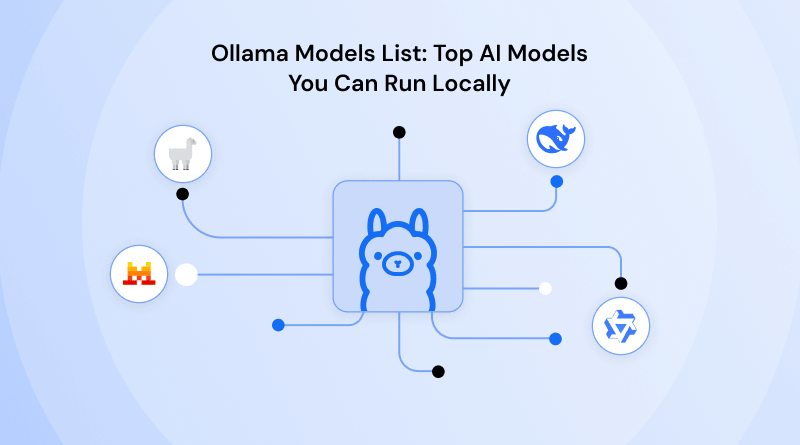
The era of pay-per-prompt access is ending. While the world stays tethered to proprietary APIs, a shift in sovereignty is happening on local disks. You aren’t just running a chat interface; you are reclaiming full ownership of your data. This isn’t about following a trend—it is about the shift from “AI as a service” to “AI as infrastructure.”
When you move your operations to a high-performance web hosting environment like VPS hosting, you expect low latency and high availability. Applying that same logic to Large Language Models (LLMs) is why Ollama has become the definitive bridge between complex neural weights and your local machine. It transforms the intimidating process of model quantization and environment configuration into a single command. Ollama VPS hosting makes it easier to run Ollama in a dedicated hosting environment with the resources needed for AI workloads.
Table Of Content
What Is Ollama & Why It Matters
Ollama is the engine that finally made local AI accessible to those who previously found manual environment configuration a massive roadblock to deployment. It functions as a lightweight, open-source framework that manages the lifecycle of LLMs on macOS, Linux, and Windows. By using a “ModelFile” system (similar to Docker), it packages the weights, configurations, and datasets into a single, runnable entity.
But why does this matter for your workflow? Privacy no longer comes at a premium. When you utilize the Ollama model library, you are no longer sending sensitive company data or creative IP to a third-party server. Whether you are building an AI-powered tool for your clients or integrating an AI website builder into your development stack, Ollama provides the underlying infrastructure without the privacy tax.
For developers, this unified ecosystem is the ultimate playground. You can test how a WordPress RSS feed plugin interacts with a local model to summarize news, or even build your WooCommerce alternatives that use local LLMs to generate product descriptions in real time. It is about taking the “black box” of AI and putting the key in your pocket.
Related Read: What is Ollama?
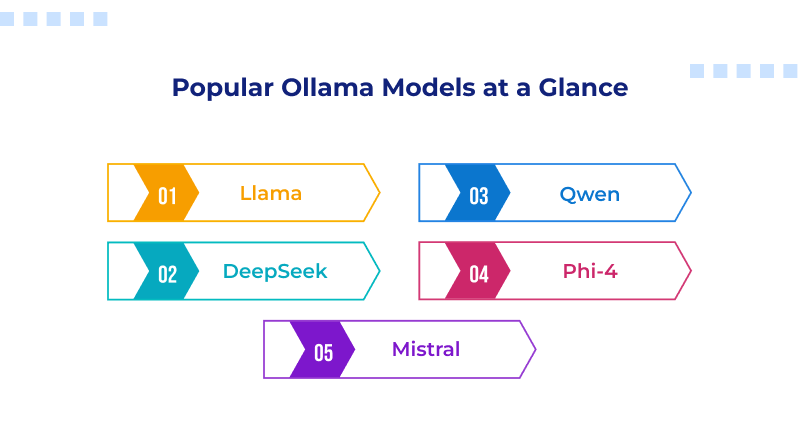
Best Ollama Models at a Glance
The Ollama models list isn’t just a catalog; it’s a spectrum of specialized intelligence. To build a truly resilient local stack—one that rivals the performance you’d expect from premium web hosting—you need to understand the nuances of these architectures.
While you can trigger any of these with standard Ollama run commands, the “magic” happens in how these models handle specific tokens and logic structures. The following deep dive examines the foundational architectures defining the current frontier of local AI.
1. Llama 3.3 & 4: The Gold Standard for Versatility
Meta’s Llama series remains the backbone of the open-source world. The current 70B variants (like Llama 3.3) are highly efficient architectures because they offer the reasoning power of the old 405B models but at a fraction of the hardware cost
- The Deep Logic: Llama excels at “generalist reasoning.” If you are building AI-powered tools that need to summarize complex legal documents one minute and write a WordPress RSS feed plugin script the next, Llama is your baseline.
- Local Advantage: It features one of the most robust safety alignments (Llama Guard), making it the “safe bet” for enterprise-level applications where data privacy is non-negotiable.
2. DeepSeek-V3 & R1: The Reasoning Revolution
DeepSeek has disrupted the market by proving that “mixture-of-experts” (MoE) architectures are the future of local efficiency.
- The Deep Logic: Unlike “dense” models that activate every neuron for every word, DeepSeek-V3 only wakes up the “experts” needed for the task. This makes it incredibly fast. Its R1 variant introduces “chain-of-thought” reasoning, where the model literally “thinks” through a problem step-by-step before answering.
- Local Advantage: It is the current king of coding and mathematics. If you are debugging a complex SSL configuration or optimizing a best IDE setup, DeepSeek’s accuracy in syntax is currently unmatched in the Ollama model library.
3. Qwen 2.5 & 3: The Multilingual Model
Alibaba’s Qwen has evolved into a global powerhouse, specifically for developers who need their AI to speak more than just English.
- The Deep Logic: Qwen is trained on a staggering 18 trillion tokens. It doesn’t just “translate” languages; it understands the cultural and structural nuances of over 29 languages. Its “Coder” variants have also surpassed many proprietary models in real-world programming benchmarks.
- Local Advantage: For global businesses using WooCommerce hosting, Qwen is the engine that can power a localized chatbot in Hindi, Arabic, or German with high efficiency.
4. Phi-4: The Small Model, Big Brain
Microsoft’s Phi series is the proof that size isn’t everything. With only 14B parameters, Phi-4 often out-reasons models twice its size.
- The Deep Logic: Phi is built on “textbook-quality” data. Instead of scrapings from the entire internet, it was trained on curated, high-logic content. This makes it a “high-reasoning specialist.”
- Local Advantage: If you are running on a laptop without a massive GPU, Phi-4 provides high-level logic for AI website builder tasks or data analysis without triggering maximum thermal cooling.
Related Read : Common Mistakes Beginners Make When Using AI Website Builders (And How to Avoid Them)
5. Mistral Large 2 & NeMo: The Efficiency Kings
Mistral continues to be the favorite for those who value clean, efficient code and predictable execution.
- The Deep Logic: Mistral NeMo (12B) was co-developed with NVIDIA to fit perfectly into a single consumer GPU’s memory (VRAM). It is designed to be a workhorse for long-context tasks, featuring a massive 128k token window.
- Local Advantage: Mistral excels at prompt alignment. It follows system prompts better than almost any other model, making it perfect for developers building ChatGPT plugins or specialized internal bots.
Top Ollama Models by Use Case
Choosing from the Ollama model library isn’t about picking the highest parameter count; it’s about matching the architecture to the task.
1. The Code Architect: Codestral 25.01
If you are in your best IDE trying to debug a complex React component, Codestral 25.01 is your silent partner. It is specifically trained on massive repositories, allowing it to understand context better than many general-purpose models. It handles everything from standard structural patterns to identifying security vulnerabilities in your SSL configurations.
2. The Creative Engine: Gemma 2
Google’s Gemma 2—specifically the 9B and 27B versions—operates with a distinct character. It lacks the rigid structure often found in Llama and handles nuanced creative writing with more flexibility. For those developing ChatGPT plugins or requiring a model that drafts blog posts without the typical automated feel, Gemma serves as a high-tier option.
3. The Logic Specialist: Llama 4 Scout
Llama 4 Scout is frequently cited for its high parameter efficiency, delivering top-tier performance without the massive hardware requirements of its larger competitors. The Llama 4 Scout (17B) parameter model offers the best “intelligence per watt” ratio for developers looking to automate internal processes, such as scripts for business email hosting, inbox maintenance, or support ticket categorization.
Model Comparison: Which One Should You Choose?
The ‘best’ model changes almost weekly as new ones are released. To determine your fit, we have to look at the intersection of speed, accuracy, and what you are actually trying to achieve.
Speed vs. Accuracy
Small models (1B–3B) are lightning-fast. They respond instantly, making them perfect for real-time applications like autocomplete. However, they can produce logically inconsistent outputs when asked complex logical riddles. Larger models (30B+) are significantly more “thoughtful” but require high-end GPUs to avoid feeling sluggish.
Resource Usage
On a standard laptop, the 7B–8B parameter range provides the most reliable balance between reasoning capability and hardware constraints. These models typically require about 8GB of VRAM to run smoothly. If you step up to 70B models, you are entering the territory of dedicated workstations or high-end GPU Cloud hosting.
Ideal Users
- The Hobbyist: Phi-3 or Llama 3.2 (3B). These models deliver high-performance, low-latency results across nearly any hardware configuration.
- The Dev: Qwen 2.5 or DeepSeek. Correct syntax is the baseline.
- The Enterprise: Llama 3.1 (70B) or Command R. These models excel at high-volume data analysis and grounding responses in external knowledge bases.
Hardware Requirements for Running Ollama Models
You don’t need multi-node GPU scaling, but you can’t run the world’s best AI on entry-level integrated graphics either. Local LLMs depend entirely on video RAM (VRAM) for performance and feasibility.
Entry Level (4GB – 8GB VRAM): You can comfortably run 1B to 7B models. Most modern MacBooks (M1/M2/M3) handle these beautifully due to unified memory.
Mid-Range (12GB – 16GB VRAM): 12GB VRAM is the practical minimum required to run 13B–14B models without offloading to slower system RAM.
Professional (24GB+ VRAM): The RTX 3090 and 4090 represent the “upper limit” for local AI, defined by their shared 24GB VRAM buffer. This allows you to run 30B+ models or run multiple 7B models simultaneously for complex autonomous workflows.
If your local hardware isn’t up to the task, many developers opt for bare metal server hosting to get dedicated access to GPU clusters. This keeps your WooCommerce hosting and AI services from fighting over the same resources.
Related Read: Top Bare Metal Server Hosting Providers in India
Common Mistakes to Avoid
Chasing Parameter Counts: More isn’t always better. A 7B model tuned for a specific job can easily beat a generic 13B one at things like coding or summarizing.
Ignoring Quantization: Ollama uses 4-bit quantization by default. While this saves space, if you need extreme precision (like for medical or legal data), you might need to pick a higher-bit version from the library.
Neglecting Context Windows: If you try to feed a 50-page PDF into a model with a small context window, it will “forget” the beginning by the time it reaches the end. Check your context window before you start any heavy research.
Static Environments: Neglecting the Ollama update means missing out on critical performance patches and the latest additions to the best local LLMs for Ollama.
Final Thoughts: Choosing the Right Model
The “perfect” model is the one that solves your problem today without exceeding your hardware’s thermal limits. Whether you are building the next big thing in automation or just want a private assistant that doesn’t require external data transmission, the Ollama models list has a solution.
Local AI shifts you from a consumer—dependent on third-party APIs and privacy policies—to an architect with full sovereignty over your data and hardware performance. Start small—download a world-class reasoning model, run a few commands, and see how it feels to have the sum of human knowledge deployed on your local hardware, offline and under your control.
FAQs
1. Does Ollama support vision or multimodal models?
Ollama provides native support for multimodal architectures, allowing you to process images and text together on your local machine. By using specific Ollama run commands for models like Llama 3.2 Vision or Gemma 3, you can perform complex visual tasks like describing photos or extracting document data. This capability is essential for anyone utilizing the Ollama model library to build secure, vision-aware applications without relying on external cloud APIs.
2. What is the difference between “General” and “Thinking” models in the library?
The Ollama model library distinguishes between general-purpose models built for speed and “thinking” models designed for high-level reasoning. General models provide rapid, direct answers for drafting content, while thinking models use a “chain of thought” process to verify their logic before responding. These reasoning models are much more accurate for solving difficult math problems or performing the deep technical analysis required for the best local LLMs for Ollama.
3. Can I run Ollama without a dedicated GPU?
You can run any model from the Ollama models list on a standard CPU, as the software automatically utilizes your system RAM and processor cores if no GPU is detected. While this is a practical way to test the best local LLMs for Ollama on a basic laptop, the response times will be notably slower than hardware-accelerated systems. For production-grade speed and reliability, professional setups typically require a dedicated GPU to avoid the performance bottlenecks of CPU-only inference.
4. How do I check if my model is running on my GPU or CPU?
To verify which part of your hardware is doing the heavy lifting, you can use the Ollama run commands or simply type “ollama ps” in your terminal while a model is active. The output includes a processor column that will indicate “100% GPU” for full acceleration or “100% CPU” for system memory usage. Seeing a percentage split often suggests that your VRAM is reaching its limit, which might cause lag when running larger models from the Ollama models list.