Sommaya Singh
OpenClaw has captured significant attention. Several web hosting providers now offer OpenClaw VPS hosting, prompting tech enthusiasts to consider both its feasibility and compelling alternatives. While autonomous agents are intriguing, each agent presents its own set of trade-offs.
The blog comprehensively compares the top OpenClaw alternatives that automate your tasks while operating autonomously and keeping developers in the loop.
Key Summary — OpenClaw Alternatives
- 1 OpenClaw is a self-hosted autonomous AI agent that hit 250K+ GitHub stars in early 2026, but several strong alternatives now exist for different use cases.
- 2 Lightweight options like NanoBot and NanoClaw prioritize minimal codebases and local execution, ideal for developers who want full transparency and control.
- 3 ZeroClaw and Moltis focus on security and efficiency, with Rust-based architectures suited for low-resource hardware and self-hosted environments.
- 4 Cloud-based tools like Manus AI and SuperAGI lower the barrier to entry with managed infrastructure, though at the cost of data sovereignty.
- 5 No single alternative beats OpenClaw across the board — the best pick depends on your priorities: security, simplicity, scale, or ease of use.
💡
This article walks you through the best OpenClaw alternatives.
Table of Content
What is OpenClaw?
By 2026, OpenClaw became a widespread AI agent. This autonomous intelligence tool runs directly on your machine or server and integrates with various AI tools and apps, such as messaging apps, email, calendars, and file systems.
OpenClaw has long-term memory, performing tasks and keeping track of context for facilitating subsequent tasks. Secondly, it executes commands autonomously without requiring continuous human assistance, delivering excellent results.
OpenClaw Rocks to GitHub’s Most-Starred Status
On March 3rd, 2026, OpenClaw surpassed 250,829 GitHub stars, preceded by React (243,000 stars), Linux (218,000 stars), and other software repositories on the platform except TensorFlow. The growth trajectory is commendable. On the launch date in January, OpenClaw scored 9,000 stars, followed by 60,000 stars three days later and then 190,000 stars within two weeks. It has now scored over 250,000+ stars on GitHub with 1,000 contributors who ship new code every week.
OpenClaw: By The Numbers
250,829+
GitHub Stars
Surpassed on March 3rd, 2026
1,000+
Contributors
Shipping new code every week
60,000
Stars in 3 Days
From 9,000 at launch to 190,000 in two weeks
Weekly
Active Releases
Continuous code updates by the community
Which are the best OpenClaw alternatives?
| Agent | Infrastructure | Key Feature | Best For | Pricing |
|---|---|---|---|---|
 |
Local execution, runs on laptop or Android (4GB RAM) | Minimal codebase (~4,000 lines), fully auditable | Developers needing transparent, customizable framework | Free |
 |
Runs locally in background, works even when offline | Persistent memory across sessions & interactions | Coders, traders & creators needing always-on AI | Free |
 |
Cloud-based, isolated Linux environment per task | Planner-executor loop with Python code execution | Users wanting cloud-based multi-task automation | From ₹1,899/mo |
 |
Docker-based, 50+ native app integrations | Parallel multi-agent GTM & CRM workflows | Sales & marketing teams scaling autonomous ops | From ₹1,000/user/mo |
 |
Rust-based, runs on Mac Mini / Raspberry Pi / local server | Encrypted disk storage & isolated Docker environment | Privacy-first teams needing hyper-secure self-hosting | Free |
 |
Rust-based, minimal footprint for edge & low-cost devices | AIEOS support for portable, standardized AI personas | Low-resource hardware & edge device deployments | Free |
 |
Isolated Docker container, Go-based (~15 source files) | MCP support & multi-platform gateway mode | Developers prioritizing container-level isolation | Free |
Features and pricing may vary depending on deployment configuration, selected AI model, and integration setup.
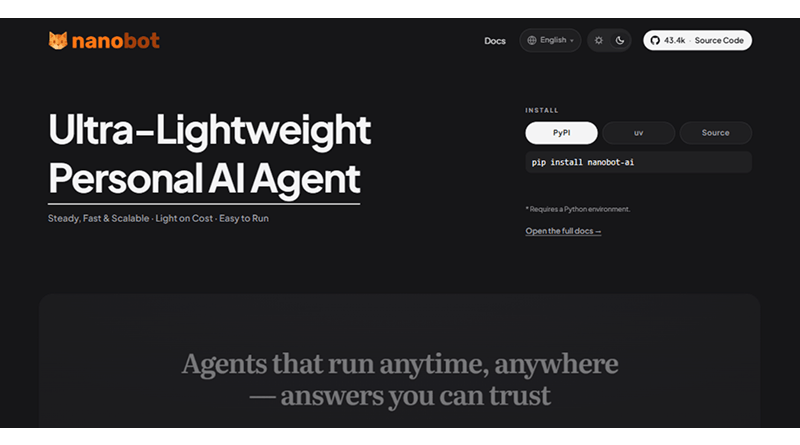
1. NanoBot
Pricing: Free
NanoBot generates a reviewable Python codebase and trusts you to implement the security model aligned with your context.
Startups and R&D teams need an auditable and customizable framework that is easy to understand and intuitive. NanoBot has a compressed codebase with an end-to-end reading feature for coders. So, if there is any syntax error detected by your senior tester, you have the right solutions to make changes in the framework.
What makes it different?
- It uses a fraction of the code of a larger agent framework, making it fast, memory-efficient, and capable of running locally on a laptop or even an Android phone with 4GB of RAM.
- You connect it to social media apps such as Telegram, WhatsApp, or Discord to handle scheduling, writing, and code debugging.
- It acts as a personal knowledge assistant.
👍 Pros
Developer-Friendly & Transparent
High Privacy & Local Execution
Extensible & Versatile
⚠️ Cons
Limited Native Capabilities
Steep Learning Curve
NanoBot command-line setup and chat workflow
pip install nanobot-ai

nanobot onboard

nanobot agent # local interactive chat

nanobot gateway # run it as a chatbot (Telegram, Discord, WhatsApp, etc.)
2. MemU bot
Pricing: Free
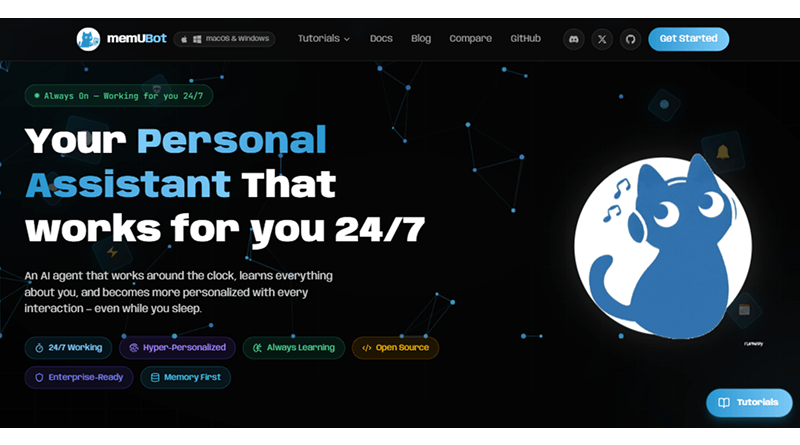
MemU Bot maintains the operational continuity without making you open a new chat every time. The website has a dark theme with bold graphics, some advanced customizations, enterprise-grade security, and community-driven support.
Coders, developers, stock traders, and content creators can take advantage of MemU Bot. This personalized AI agent understands your requirements and generates the desired outcome. It has built-in multi-tenant support, admin dashboards, usage analytics, and compliance tools designed for organizations that demand reliability.
What makes it different?
- MemU Bot runs in the background even when you are offline. It monitors tasks, handles requests, and takes proactive action around your activities.
- The AI bot has persistent memory that remembers your past preferences, conversations, and context. It evolves with every interaction.
👍 Pros
Local Data Privacy
Multi-Platform Access
Local Data Privacy
⚠️ Cons
Heavy System Permissions
Limited Direct Web Actions
Developer workflow to install the memU memory framework
git clone <https://github.com/NevaMind-AI/memU.git>

cd memU

# Requires Python 3.13+

pip install -e.

# Set your key (OpenAI is the default in their quick tests).

export OPENAI_API_KEY="your_api_key"

# quick test using in-memory storage

cd tests

python test_inmemory.py
3. Manus AI
Pricing: Starts at ₹1,899/month
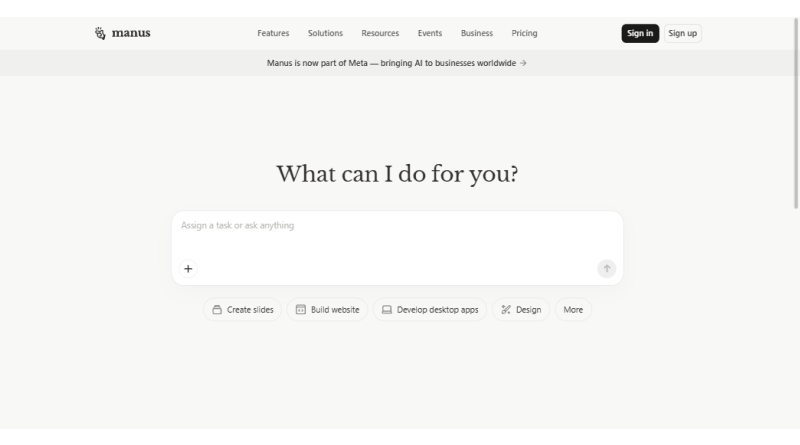
Manus AI is a cloud-based autonomous agent that doesn’t need a local machine to operate. It eliminates the entry-level barrier for users. The AI agent can execute multiple tasks, such as creating presentations, building websites for native frameworks, or building mobile apps for iOS and Android.
Manus uses custom fine-tuned versions of Anthropic’s Claude family and Alibaba’s Qwen models for high-level reasoning and planning. It functions through a planner-executor loop where AI sub-agents process complex information before fine-tuning the results.
What makes it different?
- Each task is executed in its own isolated Linux environment, containing its own web browser, Python environment, shell / terminal, and file system.
- Instead of being 100% prompt-driven, Manus AI allows writing and executing Python code.
👍 Pros
Real-Time Browser Operator
Built-In Coding & Execution
Multi-threaded Research
⚠️ Cons
Creative Limitations
Learning Curve
Manus AI: Command-Line Setup and Agent Workflow
# Install Manus (Python-based wrapper, if available)

pip install manus-ai # or whatever package Manus publishes later

# Initialize or start the Manus agent service (conceptual)

Manus init

manus start # opens the Manus web/desktop UI in your browser

# Interact via the Manus agent (browser or desktop UI)

#   - Chat directly in the Manus app

# - Or connect external agents that call Manus via API
4. SuperAGI
Pricing: ₹1,000 per user per month
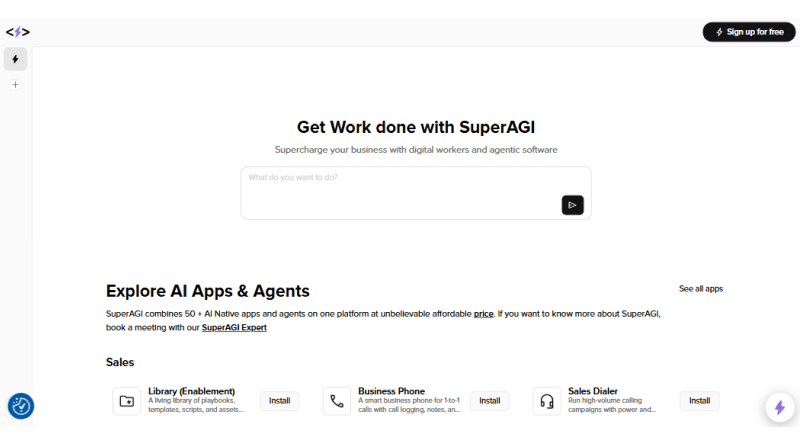
SuperAGI is an agentic AI designed to drive more sales and conversions. It works around the clock to bring more prospects for your brands/services. It combines 50+ native apps to consolidate tasks such as CRM, cold outreach, invoice generation, marketing campaign orchestration, and one-to-one business calls.
This multi-specialized AI agent evolves from a developer-centric environment to a Go-To-Market (GTM) suite, replacing conventional software. Developers extend SuperAGI features with specialized toolkits to run multiple concurrent AI agents.
What makes it different?
- Unlike traditional AI bots, SuperAGI builds its workflow around its autonomous AI agents. It doesn’t require rigorous manual efforts.
- SuperAGI runs multiple tasks in parallel to enhance productivity. It possesses context-aware memory to execute parallel processing.
👍 Pros
Scalable Operations
User-friendly
Autonomous Workflows
⚠️ Cons
Limited CRM Flexibility
Deliverability Risks
SuperAGI: Command-line setup and agent workflow
# 1. Clone the SuperAGI repo

git clone https://github.com/TransformerOptimus/SuperAGI.git

cd SuperAGI

# 2. Configure keys

cp config_template.yaml config.yaml

# Edit config.yaml and set your OPENAI_API_KEY, Google keys, etc.

# 3. Start SuperAGI via Docker (regular / CPU mode)

docker compose -f docker-compose. yaml up --build

# 4. Access the agent UI and workflows

# Open your browser and go to http://localhost:3000

# Create and run agents via the web interface
5. Moltis
Pricing: Free
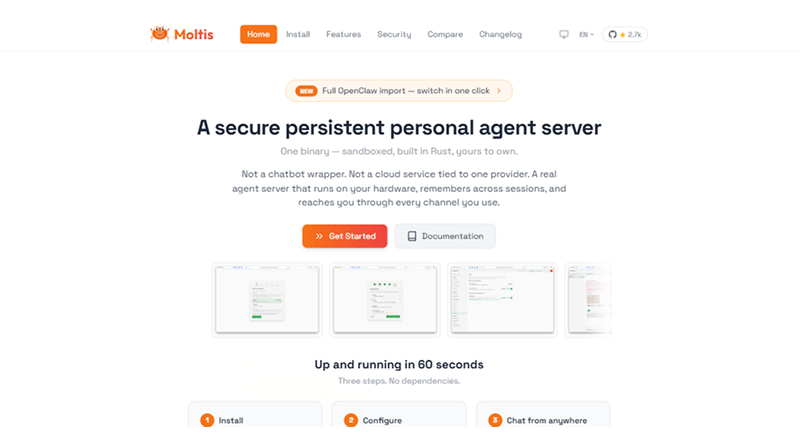
Moltis is a secure personal AI agent built on Rust. The real agent server runs on your hardware, remembers across sessions, and reaches through each active channel. Moltis is accessible on a Mac Mini, a Raspberry Pi, or any local server.
The AI agent is easy to integrate with Telegram, WhatsApp, Discord, Slack, Matrix, Nostr, and Teams. Moltis creates multiple agent personas with distinct personalities and capabilities. It also encrypts your information on disk, not just in memory, ensuring the security of APIs and secret keys.
What makes it different?
- Moltis’s built-in tools let the LLM delegate tasks through nesting logic/queries with child agent loops.
- Moltis uses Docker, Podman, or Apple’s virtualization system for an isolated environment. It allows AI agents to run code and execute commands without compromising the user’s host server.
👍 Pros
Local Isolated Environment
Granular Permissions
Hyper-Secure Infrastructure
⚠️ Cons
Infrastructure Overhead
Strictly Self-Hosted
Moltis: Local installation and agent UI workflow
# ==========================================

# 1. INSTALL MOLTIS

# ==========================================

# Recommended quick installation method

curl -fsSL https://www.moltis.org/install.sh | sh

# ==========================================

# 2. START THE MOLTIS AGENT SERVER

# ==========================================

moltis

# ==========================================

# 3. ACCESS THE WEB UI

# ==========================================

# Open the URL displayed in your terminal.

# Example:

http://localhost:13131

# In the web interface:

# - Add your LLM API key (OpenAI, OpenRouter, etc.)

# - Configure your preferred model

# - Start chatting and using agents

# ==========================================

# 4. VERIFY INSTALLATION

# ==========================================

moltis --version

# ==========================================

# 5. UPDATE MOLTIS

# ==========================================

# If installed via Homebrew

brew upgrade moltis
6. ZeroClaw
Pricing: Free
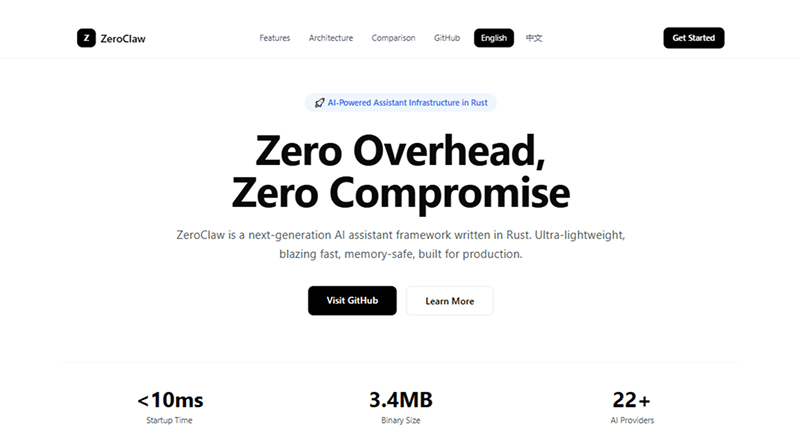
ZeroClaw is an effective OpenClaw alternative with Rust-based solution. It is designed to overcome the performance limitations of the current solutions and provide an optimized environment for running autonomous AI agents.
Unlike traditional AI bots, runtimes consume significant memory and CPU even when idle. ZeroClaw operates with a minimal footprint, making it accessible to a wide range of hardware, from powerful servers to low-cost edge devices.
What makes it different?
ZeroClaw supports the AI Entity Object Specification (AIEOS), enabling the creation of portable and standardized AI personas. Any new connections in ZeroClaw require a secure pairing code.
👍 Pros
Extremely Lightweight & Efficient
Hardware & Provider Agnostic
Self-Contained Architecture
⚠️ Cons
Tech Friction & Steeper Learning Curve
Less Extensive Ecosystem
ZeroClaw: Command-line setup and agent workflow
# 1.
# ==========================================

# 1. INSTALLATION

# ==========================================

git clone https://github.com/openagen/zeroclaw.git

cd zeroclaw

cargo build --release

cargo install --path . --force

# ==========================================

# 2. SETUP (Choose One)

# ==========================================

# Quick setup (no prompts)

zero-claw onboard --api-key sk-... --provider openrouter

# Interactive setup wizard

zero-claw onboard --interactive

# Repair channels/allowlists only

zero-claw onboard --channels-only

# ==========================================

# 3. RUNNING AGENTS

# ==========================================

# Single message chat

zero-claw agent -m "Hello, ZeroClaw!"

# Interactive chat mode

zero-claw agent

# Start gateway (webhook server)

zero-claw gateway

# Gateway on a random port

zero-claw gateway --port 0

# Start fully autonomous runtime

zero-claw-demon

# ==========================================

# 4. MANAGEMENT & DIAGNOSTICS

# ==========================================

# Check system status

zero-claw status

# Run diagnostics

zero-claw doctor

# Check channel health

zero-claw channel doctor

# Get integration setup details

zero-claw integrations info Telegram

# Background service management

zero-claw-service install

zero-claw-service status

# ==========================================

# 5. MIGRATION

# ==========================================

# Preview OpenClaw memory migration

zero-claw migrate openclaw --dry-run

# Execute migration

zero-claw migrate openclaw

# ==========================================

# 6. DEVELOPMENT FALLBACK

# ==========================================

# If not installed globally, run commands via Cargo

cargo run --release -- status

# Example

cargo run --release -- agent -m "Hello, ZeroClaw!"
7. NanoClaw
Pricing: Free
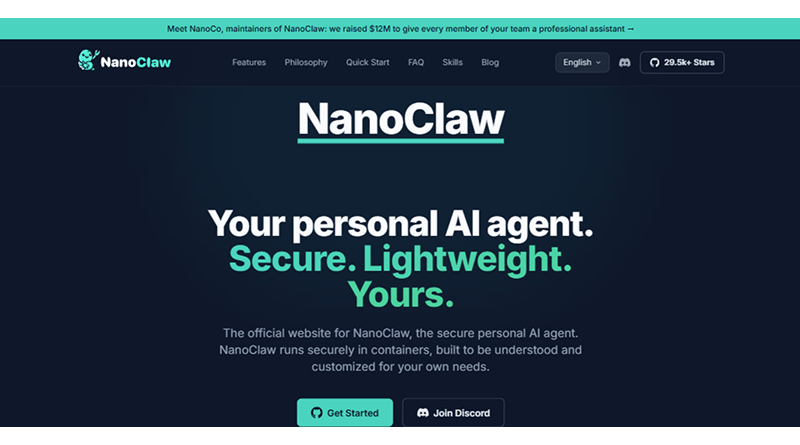
NanoClaw is an open-source AI agent that works in an isolated Docker container. Lightweight in
nature, it is designed to connect to messaging apps and securely execute tasks on your local machine. Gavriel Cohen originated this AI agent as a minimalist and secured an OpenClaw alternative.
With just a few thousand lines of code against OpenClaw (434,453 lines of code), NanoClaw suits the cognitive ability of developers. It follows a single process with only 15 source files, ensuring easy deployment for beginners.
What makes it different?
- Adds MCP support (fresh): added 2026-02-14, so it can connect to MCP tool servers without having to reinvent the wheel.
- Integrated “gateway” mode supports a number of chat surfaces, including Telegram, Discord, WhatsApp, Slack, and Email.
👍 Pros
Kernel-Level Isolation
Hyper-Auditable Codebase
Flexible “Skill” System
⚠️ Cons
Requires Container Infrastructure
Heavily Tied to Anthropic
NanoClaw: Command-line setup and agent workflow
# ==========================================

# 1. INSTALL NANOCLAW

# ==========================================

# Install NanoClaw globally using Go

go install github.com/nanocoai/nanoclaw@latest

# ==========================================

# 2. INITIAL SETUP / ONBOARDING

# ==========================================

# Configure NanoClaw with your API provider

nanoclaw onboard --api-key sk-... --provider openrouter

# ==========================================

# 3. RUN LOCAL CHAT AGENT

# ==========================================

# Interactive chat mode

nanoclaw agent

# Use a specific model

nanoclaw agent --model "openrouter/gpt-4-turbo"

# ==========================================

# 4. START THE GATEWAY

# ==========================================

# Start gateway (default port: 8080)

nanoclaw gateway

# Start gateway on a custom port

nanoclaw gateway --port 8081

# ==========================================

# 5. START AUTONOMOUS DAEMON

# ==========================================

# Run autonomous background agent (if supported)

nanoclaw daemon

# ==========================================

# 6. MANAGEMENT & DIAGNOSTICS

# ==========================================

# Check agent and gateway status

nanoclaw status

# Run system diagnostics

nanoclaw doctor

# List connected integrations

nanoclaw integrations list

# View details for a specific integration

nanoclaw integrations info Discord
Where does OpenClaw win?
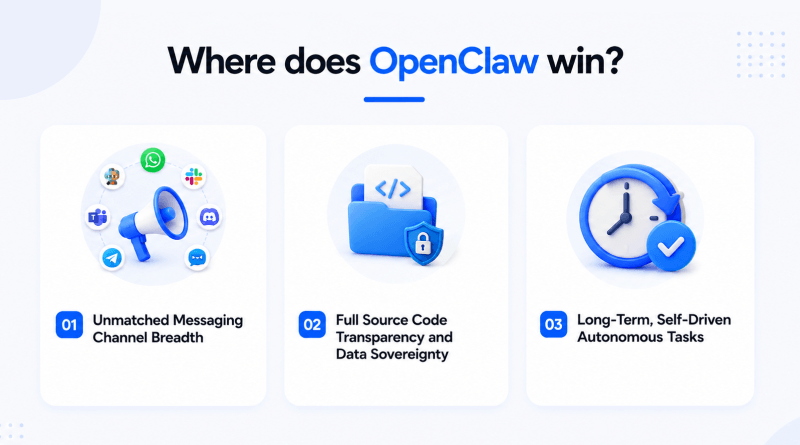
OpenClaw dominates the AI agent workflow primarily because of its massive messaging integration, two potentials, and open-source hackability. It outperforms alternatives such as AutoGPT, Claude Cowork, or Hermes Agent across several key dimensions.
1. Unmatched Messaging Channel Breadth
If you are looking for an AI agent that operates in the background and reaches users across
For different applications, OpenClaw is the clear winner.
- 30+ Platforms: It supports native, out-of-the-box integrations with a vast range of messaging platforms (WhatsApp, Telegram, Discord, Slack, iMessage, Matrix,
etc.). - Proactive Reach: Unlike coding-only assistants or chatbots, OpenClaw sends messages or
alerts on the active platforms.
2. Full Source Code Transparency and Data Sovereignty
OpenClaw operates under the MIT license, where developers have total visibility and
control over code. It runs on the local server, allowing complete
privacy and an isolated environment.
NanoBot and other lightweight variants cannot match deep plugins. ecosystem. Also, it has managed agent solutions that need you to trust a third-party server with API and integration keys.
3. Long-Term, Self-Driven Autonomous Tasks
Where does it succeed? OpenClaw is a proactive, not reactive, approach. It automatically reviews your Notion tasks, emails, executes scripts on a schedule, and sends. You’ll get an alert once it has finished, so you don’t need to check it manually.
Coding assistants or managed platforms (such as Claude Code or Perplexity Computers are more like responsive chatbots waiting for you to give them the next instruction. OpenClaw does not require human intervention; it works autonomously.
Where OpenClaw Alternatives Have the Edge?
OpenClaw drives seamless deployment through massive configurability and open-source
flexibility. However, it struggles in offering enterprise-grade security and
requires steep infrastructure setup.
OpenClaw alternatives, such as NanoClaw, solve this by running autonomous agents inside an isolated environment or Docker container.
NanoBot distils the core functionalities of OpenClaw into a minimalist framework, allowing
developers to quickly read and customize the entire architecture.
ZeroClaw is a lightweight framework that requires moderate computing power for seamless operations. It leverages a Rust rewrite for extreme speed and low memory footprints, making it perfect for edge or low-cost server environments.
Who Chooses What?
1. NanoClaw
If security and an isolated environment are your priority, NanoClaw allows developers to handle broad system access, teams need container-level isolation, or if the users demand full root access to the server.
2. NanoBot
For users who need the minimal codebase with the single-task research framework, NanoBot gives a fully-readable environment with only 4000 lines of code.
3. ZeroClaw
Those using low-resource hardware, single-board computers, or small VPS instances need a fast, lightweight, persistent assistant.
memU bot
People need an active AI assistant that adapts its habits to the reduced overhead costs.
Key Takeaways
The future of the AI agent is evolving. OpenClaw is not the sole option in this paradigm shift. Whether you are a developer building lightweight automations, a startup scaling agentic workflows, or an enterprise team managing complicated multi-step pipelines, there is a purpose-driven OpenClaw alternative suitable for your needs.
After evaluating cross-platform compatibility, accuracy, and memory handling, the clear takeaway is unbiased. No single AI agent secures the best OpenClaw alternative. Ultimately, the right choice isn’t about finding a single dominant platform, but about matching the framework’s architecture to your specific workflow priorities.
FAQs
1. What’s better than OpenClaw?
ZeroClaw is better if you need a lightning-fast, resource-efficient tool that saves RAM. NanoClaw is better if you require strict container security to isolate your AI agent.
2. What is the OpenClaw alternative in Rust?
ZeroClaw is the leading Rust-based alternative to OpenClaw. It compiles into a tiny single binary, drops RAM usage below 5 MB, and offers near-instant boot times.
3. What is the difference between OpenClaw and ZeroClaw?
OpenClaw is built on TypeScript/Node.js, requiring over 1 GB of RAM and external dependencies. ZeroClaw is written in pure Rust, consuming less than 5 MB of RAM with a lightweight, built-in SQLite database.
4. Is there a lightweight alternative to OpenClaw that’s easier to set up?
Yes, ZeroClaw features a 60-second interactive terminal wizard and a one-line install process. Alternatively, NanoBot is a minimalist Python-based choice that is very easy to configure and modify.