Gaurav Bodhare
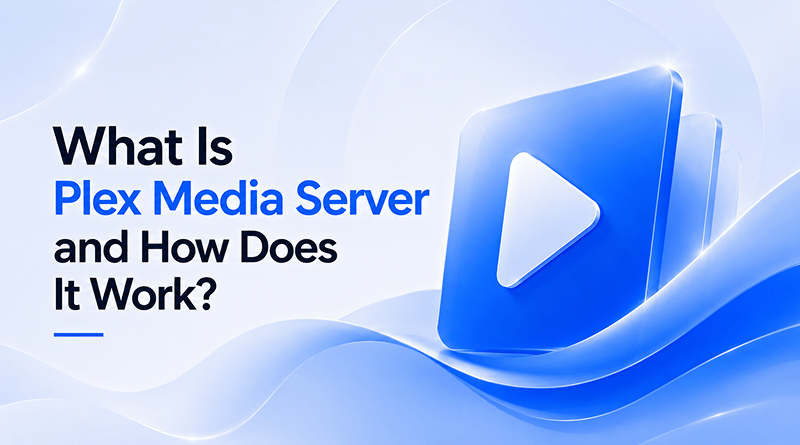
Most people treat their movie collection like a digital junk drawer—files scattered across hard drives with no rhyme or reason. Setting up Plex changes that entire dynamic by putting you in total control. Instead of wrestling with file explorers or dealing with restrictive apps, you build a centralized hub that actually plays what you want, when you want it. Using VPS hosting with Plex gives you a dedicated machine that stays online regardless of whether you are home or halfway across the globe.
Performance hinges on the quality of your backend infrastructure. Reliable web hosting is the difference between a crisp 4K stream and a buffering playback hitch that ruins your movie night. This isn’t just about software; it’s about taking responsibility for your media. By running your server, you become the admin of your library, and you finally stop dealing with those annoying internet outages that disrupt your access to content you supposedly “own.”
TL;DR
Plex at a glance
Plex pulls all your local files—movies, shows, music—into one spot and organizes them automatically. It builds a database that tracks what you’ve watched and where you left off, regardless of the screen you’re looking at. When your library outgrows its current capacity, moving your data to the cloud allows you to expand without the hardware maintenance associated with manual storage upgrades.
Table Of Content
What is Plex Media Server?
Think of Plex Media Server as the engine room of your library. It handles all the complex processing in the background while you just browse the front-end. It ingests your raw video, identifies the file properties, and serves it up to whatever screen you’re using. For those managing distributed setups, utilizing cloud hosting allows for seamless data delivery across any global region you choose.
How does Plex work?
When you set up Plex, you start by pointing the software at the folders on your computer or hard drive where your videos and music live. As the files load, the interface populates with cover art, plot summaries, and cast information, replacing plain file names with a visual gallery. You can then open the app on a tablet, smart TV, or phone, where your library appears ready for selection. Clicking a title starts the playback, with the server converting the file format from the start to match the requirements of the display you are currently using.
Step 1 Install PMS
Download the installer, run it on your server, and ensure the background service is operational. This is your primary node — the central engine for all operations.
Step 2 Point at media folders
Tell the server where your files are. Keep your folder structure clean — a messy layout will cause the indexer to struggle when mapping your movies correctly.
Clean folder structure mattersStep 3 Metadata fetch
Plex connects to online databases to pull artwork and plot summaries. Proactively monitor this — inconsistent file naming can cause incorrect metadata to be matched to your media.
Consistent file naming is keyStep 4 Stream to clients
Open the app on your TV, phone, or browser. Request a file and the server pushes the stream to that endpoint. Plex offers a more streamlined, ready-to-use setup compared to alternatives like Jellyfin.
Step 5 Anywhere access
Configure your firewall or set up a tunnel for remote access. Using Google Cloud for these connections delivers a level of stability that most home setups cannot match.
Google Cloud recommended for stabilityRelated Read: What is Plesk? A Beginner’s Guide to Web Hosting Control Panel
What are the differences between Direct Play, Direct Stream, and Transcoding?
Direct Play is the optimal configuration. Your player manages the task of decoding the video itself whenever its native format aligns with your media file. Because the server only sends the data without changing the file structure, the processor usage remains low. You will notice that the machine hosting your library stays quiet, as the playback device performs the work of displaying the content. When monitoring infrastructure health, you might even use Grafana to visualize these direct streams in real-time.
Direct Stream acts as the intermediate solution. It initiates when the container is incompatible, yet the video/audio codecs are fine. The server just moves the data into a compatible container, which takes almost zero processing power. It is a highly efficient way to bridge compatibility gaps without losing any bit of the original source quality.
Transcoding functions as the ultimate backup mechanism. The server converts video while you watch, which creates a heavy load for your processor. If you build out a larger collection, you can use top AI models to sort your files or change their format before you try to watch them.
What technical factors influence server performance?
The CPU PassMark score indicates the number of simultaneous transcodes your system manages before you notice playback stuttering. Disk I/O speed is equally critical; NVMe drives make library browsing feel instant, whereas spinning hard drives often result in delayed metadata retrieval. Your network bandwidth is equally critical; insufficient upload speed will consistently degrade remote streaming performance.
Hardware acceleration via a GPU allows your server to offload intensive re-encoding tasks, keeping your CPU free for other system duties. Adding more RAM keeps the menu navigation snappy while the software catalogs your large collection. You will notice fewer pauses in your video if you limit other background tasks that compete for system memory. If you are building high-converting online stores alongside your media center, keep your host OS lean to ensure both apps have the resources they need.
What are the key features of Plex Media Server?
The interface is the primary attraction, turning a list of file names into an organized, visually comprehensive media collection. Many administrators who are already running a Minecraft server hosting environment find that adding Plex is a simple way to get more value out of their existing hardware. You gain peace of mind knowing your data is running on an optimized machine designed for high throughput.
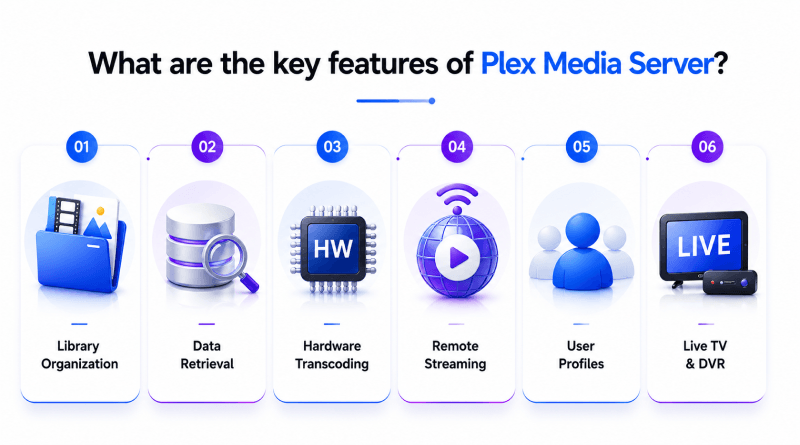
- Library Organization: The software groups your movies, music, and photos into a visual menu that displays cover art and descriptions.
- Data Retrieval: When you add a new file, the software reaches out to web databases, finding the correct cover art, actor names, ratings, and plot summaries to show in your library.
- Hardware Transcoding: Utilizes GPU acceleration to convert media for smooth playback on any device.
- Remote Streaming: Provides secure access to your media library from anywhere in the world via the internet.
- User Profiles: Allows for individual watch history, playlists, and personalized recommendations for every family member.
- Live TV & DVR: Integrates broadcast television and recording capabilities directly into your media ecosystem. Many administrators running Minecraft server commands find that adding Plex is a simple way to get more value out of their existing hardware.
Related Read: Best Minecraft Server Hosting Providers
What hardware do you need to run Plex?
You don’t need a supercomputer. A decent quad-core processor and plenty of storage space will cover 90% of use cases. The focus should be on having a reliable storage path and a stable network connection, as these are the two things that cause the most issues for home administrators. Start with a power-efficient foundation like a VPS server or a dedicated server, and focus on expanding your storage as your collection grows.
How do you set up Plex Media Server?
Download the installer for your operating system and follow the steps in the setup wizard to complete the configuration. Map your folders, give the server time to index everything, and then sign in on your client devices. Setting up remote access properly keeps your stream encrypted and prevents connectivity issues when you’re on a public network. You should spend time configuring your port forwarding rules correctly to ensure the handshake between your server and your client stays consistent.
What is the difference between Plex Free and Plex Pass?
The free Plex version gets you the basics. It organizes your files, lets you stream locally, and handles basic playback perfectly fine for most users. Starting with free web hosting gives you a sandbox to experiment with server configurations and website deployment.
A Plex Pass subscription initiates hardware-based video reformatting. The graphics card handles the video conversion, which keeps the main processor from slowing down when multiple people watch at once. You also gain the ability to copy your media files onto a phone or laptop so that playback works even when the network is down.
| Feature | Plex Free | Plex Pass |
|---|---|---|
| Live TV & DVR | Not available | Full support |
| Mobile sync / downloads | Not available | Unlimited offline access |
| Hardware transcoding | Not available | Full acceleration |
| Pass / skip credits | Not available | Included |
| Plex Amp access | Limited | Premium features |
| Camera upload | Not available | Included |
Key Takeaway
Plex isn’t just a piece of software; it’s a way to reclaim your library from the unpredictable changes of streaming services. You build the infrastructure once, configure it to your exact preferences, and stop paying monthly fees for movies you’ve already purchased. Enjoy the freedom of a library that you control, primed to scale for a brilliant, high-performance future.
By moving your media to a private server, you take back full ownership of your digital entertainment. Elevate this experience by hosting your infrastructure with MilesWeb; their high-performance environment provides the technical foundation necessary to transform your library into a powerful, professional-grade broadcast platform that serves you with absolute reliability.
FAQs
1. Can Plex stream 4K content?
Plex streams 4K content, but the playback depends on your server hardware and the device you use to watch. When your server cannot convert the file fast enough, the video skips or pauses during playback. Direct Play avoids this from happening by sending the file to your device just as it is.
2. What is the best hardware for running a Plex server?
If your library includes a lot of video content, it’s worth having hardware that can handle media conversion. Pair this setup with an NVMe drive for your database to keep the interface responsive when you scroll through large libraries.
3. How many devices can Plex stream to simultaneously?
Different setups handle video differently. The quality you see depends on your hardware, your network speed, and whether the app is set to direct play. If your devices require transcoding, your CPU will reach its limit significantly faster.
4. Can I share Plex with family and friends?
Yes. You can invite other users to your server, giving them their accounts to track their watch history. You maintain full administrative control over what libraries they can access and how much bandwidth they are allowed to use.