Gaurav Bodhare
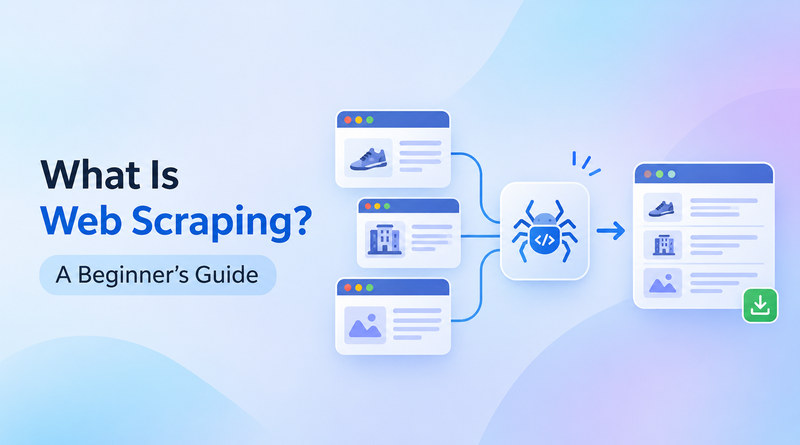
A person reads one product page in about a minute. A single script reads thousands of pages in the same minute. That speed changes how teams research markets, train models, and make better decisions. Every public web page holds a dataset nobody has organized yet. Web scraping converts prices, reviews, job listings, and research figures, all formatted for human eyes, into structured rows and columns.
Reliable scrapers depend on reliable infrastructure. Scheduled jobs, steady uptime, and quick network access matter as much as the code itself. Teams that run scrapers on web hosting built for continuous workloads collect cleaner data with fewer gaps. This guide gives beginners a practical map of the field. In this post, we will explore the definition, the workflow, the benefits, the data types, the leading tools, and the practices that keep scraping responsible.
Table Of Content
What Is Web Scraping In Data Science?
Web scraping means letting software collect data from websites so nobody has to copy it manually. Data scientists lean on it when no dataset, file, or API has what their research needs. A short program requests a page, reads the HTML behind it, and keeps only the fields that matter.
Prices, ratings, dates, and names go into a CSV file, a database, or a spreadsheet ready for analysis. Cleaning and modeling begin from there. The method supports training sets, market trackers, and research projects that would stall without the latest, real-world data. A single page makes a manageable first project, and larger crawls follow.
How Does Web Scraping Work?
A scraper starts with a request. The program sends an HTTP request to a target URL, just as a browser does, and gets the page’s HTML back. Many beginners start by learning what web scraping is in Python, where Requests, Beautiful Soup, and Scrapy handle most tasks, and AI tools can now help write the code. Production jobs often run on an application server that schedules requests and stores the results.
Parsing is the next step. Suppose a scraper needs product prices: it locates the tag or CSS class that holds each price and extracts only that text, ignoring menus and banners. Tidy values then go into a JSON or CSV file. Every request travels over HTTPS, and SSL security verifies the server before any data moves. JavaScript code editor needs a headless browser to load their content first. Clean output here saves hours of correction later.
What are the benefits of web scraping?
Web scraping gives teams a repeatable way to turn public pages into usable data. Editorial groups publishing on Drupal use it to keep catalogs and listings updated, and modern AI web scraping adds adaptive extraction on top. The six benefits below explain why adoption keeps growing across industries. Each one shows up in daily work, from marketing dashboards to academic research.
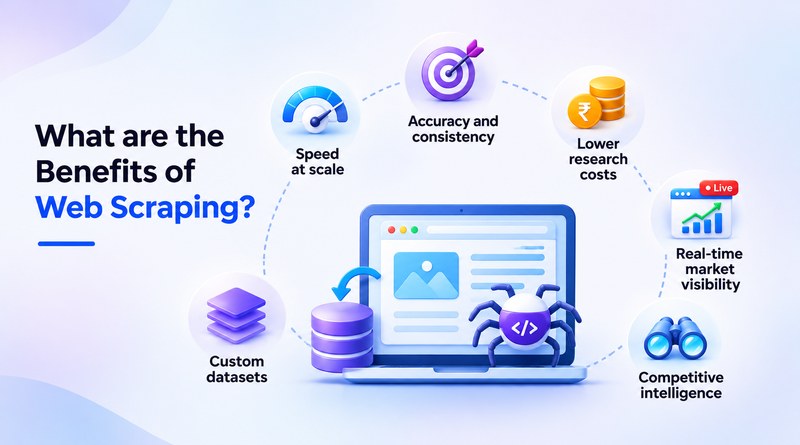
Speed at scale
A scraper reads thousands of pages in minutes. Manual copying would take a team of days. Fresh data arrives hourly or daily with no extra hires, so reports stay current.
Accuracy and consistency
Automated extraction applies identical rules to every page. Typos and missed fields drop out of the process. Analysts receive uniform records that load straight into reports and models.
Lower research costs
One scraper replaces many rounds of manual research. Money once spent on data entry moves to analysis and strategy. Setup takes effort up front, then pays off on every recurring project.
Real-time market visibility
A scraper scheduled every hour records every price change, stock update, and new listing. Airlines, retailers, and brokers constantly monitor such feeds.
Competitive intelligence
A rival’s product pages, features, and reviews show exactly how it pitches buyers. Side-by-side comparisons expose gaps worth targeting. Regular snapshots also track how each competitor evolves.
Custom datasets
Some topics have no ready-made dataset at all. Scraping lets researchers build exactly the collection a project needs, from regional price lists to niche review archives. Machine learning models then train on focused, relevant material.
Related Read : What Is Cloud Native? A Simple Guide for Beginners
What data can you collect through web scraping?
The web scraping meaning goes past copying text. Scrapable data is anything a website shows to every visitor. A product page carries a price and a stock count. A review page holds star ratings and written feedback. Job boards, property portals, and travel websites refresh their listings daily. Forum threads show what a community is debating. Founders who launch a store with an AI website builder often populate the catalog with scraped product data.
Structured fields make comparison straightforward, because every record follows the same layout. Analysts can sort, filter, and chart the results within minutes. Each source serves a different goal, whether that is price tracking, lead research, or academic study. One rule applies to all of them: confirm that the data is public and open to collection before extraction starts.
What are the best AI tools for web scraping?
AI now helps scrapers recognize web page structure unaided. Redesigns rarely break extraction because the model relearns the new layout. The best web scraping AI tool depends on your project’s skill level, budget, and data volume. The five options below cover each of those needs. Anyone comparing the best AI for web scraping can consider these options. Agent frameworks, such as Hermes Agent, can also orchestrate multi-step collections around these tools.
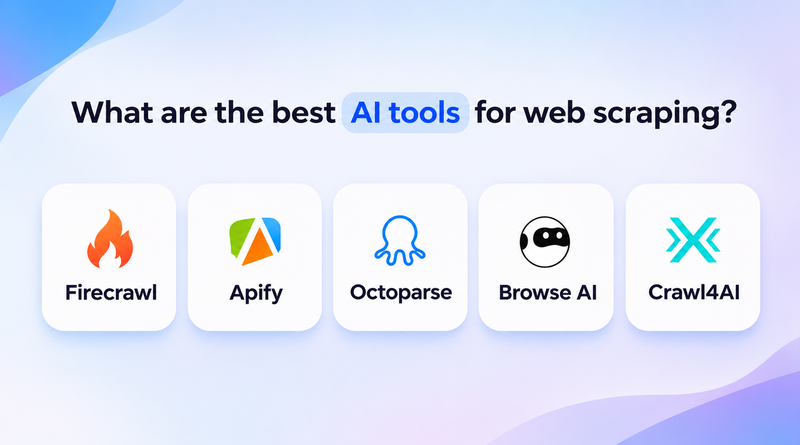

Firecrawl
Converts web pages into clean markdown or structured JSON.
Developers feed the output straight into language models and retrieval pipelines. Its crawl mode follows links across a full website. That makes it a solid pick for building knowledge bases.
Apify
A cloud platform with a marketplace of ready-made scrapers called Actors.
Scheduling, storage, and proxy management live in the same place. Picking an existing actor gets a scraper running in minutes. Growing teams can scale the same job without rebuilding it.
Octoparse
A no-code visual scraper built around point-and-click workflows.
Beginners can create extraction tasks without writing any code. Templates cover popular websites, and cloud runs keep tasks going around the clock. Marketers and analysts often pick it first for that reason.

Browse AI
Learns a task by watching a person click through a page.
It tracks websites for changes and sends fresh rows to spreadsheets. Alerts flag price, listing, and headline updates. Monitoring jobs need almost no setup time.

Crawl4AI
An open-source Python library for asynchronous crawling.
Output arrives formatted for language models. Developers control each step, which suits teams that want full ownership of the pipeline.
Related Read : Best Hermes Agent Hosting Providers
What are the best practices for responsible web scraping?
Teams that host scrapers on scalable cloud hosting can control request rates, schedule jobs for quiet hours, and adjust capacity as needs change. Good practices also protect the quality of the data itself. These six habits keep every project ethical and sustainable.
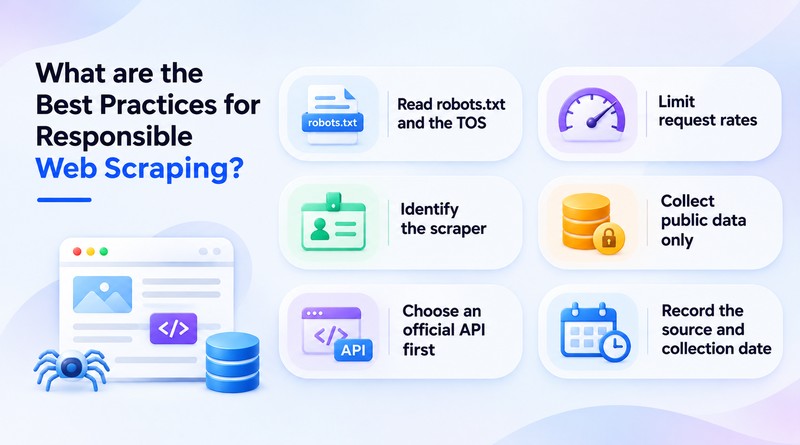
Read robots.txt
Every website spells out which areas automated tools may visit. Reading those rules before each project prevents conflicts. It also keeps the work respectful from the first request.
Limit request rates
Short delays between requests protect website performance. AI scrapers that keep a steady, modest pace are blocked less often.
Identify the scraper
A clear user agent string tells site owners who is visiting. Adding contact details invites open communication. Owners can reach out instead of blocking.
Collect public data only
Collect data only from pages open to every visitor. Anything behind a login still needs permission, and GDPR sets firm limits on personal data.
Choose an official API first
APIs deliver structured data with permission and stability. Use them whenever a site offers one. Scraping then fills the gaps where no API exists.
Record the source and collection date
Good documentation lets analysts verify results and refresh datasets later. Dates show how current each record is. Clear sourcing also builds trust in the final analysis.
Concluding Insights
Web scraping is heading toward smarter, more adaptive collection. AI models already read layouts much as people do, and each release narrows the distance between a web page and a clean dataset. Natural language instructions, self-healing selectors, and built-in validation point to the next stage. Collection will feel less like coding and more like giving clear instructions. Beginners who learn the fundamentals today will work with tools that grow more capable every year.
The path forward is simple. Start with a small project, pick one tool, and follow responsible practices from the first request. Every dataset contributes to knowledge and paves the way for more ambitious ideas. A first working scraper often sparks the second and third projects. The web publishes new information every second, and scrapers give curious teams a direct line to it. Those who build the skill now gain a lasting edge in research, product development, and AI.
Frequently Asked Questions
1. What is web scraping?
Web scraping uses software to copy information from web pages into a spreadsheet or database. A price tracker shows the idea well. The program visits product pages every morning, records each price, and builds a history that no person would have time to compile.
2. How does web scraping work?
A scraper asks a website for a page, and the site sends back HTML. A parsing step then picks out the needed pieces, such as a title or a price. Those pieces go into a CSV file, a JSON file, or a database. JavaScript-heavy pages add one step, because a headless browser has to load them first.
3. What tools are used for web scraping?
The right choice depends on coding comfort. Python users usually begin with Beautiful Soup for small jobs and Scrapy for larger crawls. Octoparse suits people who prefer clicking to coding. Firecrawl, Crawl4AI, and Apify are worth a look for teams dealing with complex layouts.
4. What are the challenges of web scraping?
Layouts change without warning, and a single redesign may break a working scraper overnight. Many websites also block bots that send requests too quickly. Then comes compliance: website terms and privacy regulations. Even after a successful run, the raw output needs a final cleanup pass.