

 Sommaya Singh
Domain transfers are a crucial part of managing online presence. This process allows you to move your domains between registrars to obtain better service, pricing, or features. Among the available TLD options, we selected .in to address the domain transfer concerns of our web hosting clients. This issue has surfaced the frustration and significant time wastage of many of our clients as well.
When transfer attempts fail, the underlying causes fall into predictable categories. By identifying the common issues and their solutions, domain owners successfully complete domain transfers and maintain control over digital assets.
Also Read: Top .io Domain Name Providers
Table of Content
Understanding Domain Transfers
Before discussing domain transfer issues, it is useful to understand its process. There are several parties involved in the domain transfer process: the current registrar, the new registrar, and the domain registry. It is a multi-step process.
This process starts by contacting your domain registrar and initiating the domain transfer process. The system checks various requirements, sends confirmation emails, and mediates between registrars to finalize the process. At each stage of this process is a potential point of failure. Any of these can go wrong.
Security measures are in place at every step of the process that prevent unauthorized transfers. But, sometimes, those security measures can lead to legitimate transfers failing if not handled properly.
Also Read: Best .org Domain Name Providers
How do Domain Transfers Differ From .com/.net?
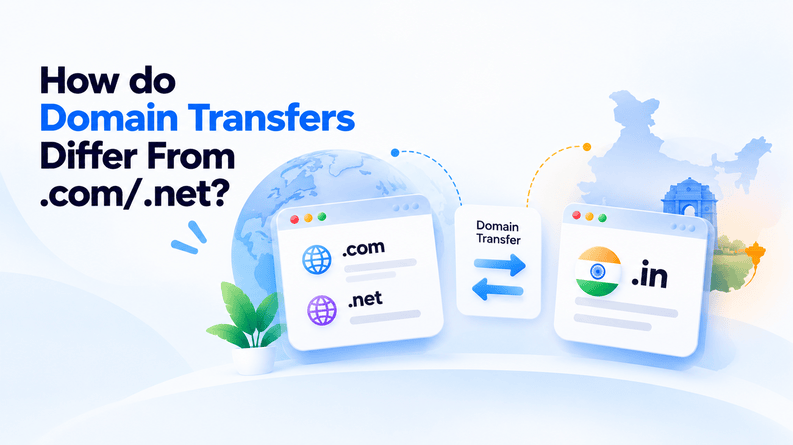
.in domains are governed by NIXI (National Internet Exchange of India) through the .in registry and come with a requirement most generic TLDs don’t have. Registrants must confirm the identity or complete the KYC process through Aadhaar or PAN card.
Missing or unverified KYC documentation stalls a transfer that would otherwise be routine. The transfer mechanism is similar to standard TLDs, with a few. In specific rules like the authorization code requirement, the domain must not be transfer-prohibited or expiring soon.
After a successful transfer, the domain is locked at the registry for the next 60 days; a restriction catches people off guard if they hope to move it again. Since .in transfers run through NIXI’s own registry rules rather than ICANN policy directly, it is worth checking the specific registrar’s process rather than assuming it mirrors a .com transfer.
Also Read: Important Reasons Why You Must Register More Than One Domain Name
Errors and Solutions of Domain Transfer
1. Domain Is Locked at the Current Registrar
Errors: Many registrars enable transfer lock by default to prevent unauthorized domain moves. It blocks the transfer request until it is manually removed.
Fix: Log into the current registrar’s dashboard, turn off the lock, sometimes giving it time to work, and then start the transfer.
2. Invalid or Expired Authorization/EPP Code
Error: Auth codes expire if you request them too far in advance or if you mistype them into the new registrar.
Fix: Copy the new auth code exactly instead of manually retyping it, and request it right before starting the transfer.
3. WHOIS / Registrant Email Not Verified or Out of Date
Error: You will never receive transfer approval requests if the registrant email is not verified, the transfer process will stop in this case.
Fix: Check & update the WHOIS contact email with the new registrar before initiating the transfer request.
4. Domain Not Allowed (During 60-Day Transfer Lock Period)
Error: .in domain cannot be transferred within 60 days of the initial registration as per NIXI policy.
Fix: Check the domain’s creation or last-transfer date, and wait for the 60-day window to pass.
5. Privacy Protection Approval Email Block
Error: Privacy protection services sometimes do not send the transfer approval email to the real inbox and leave the request unanswered.
Fix: Switch off privacy protection until transfer is done and then turn it on.
6. Registrant Information Mismatch in Registrars
Error: A transfer can be flagged if the registrant name or contact details between the losing and gaining registrar, even if slightly different.
Fix: Ensure that the registrant information matches exactly on both accounts before submitting the request.
7. Unpaid Renewal Fees or Disputes Pending
Error: Regardless of how well everything else is set up, an active dispute or an overdue renewal fee will always block the transfer completely.
Fix: If you are having a dispute with your current registrar, resolve it with them first, then try the transfer again.
8. No Reason Given for Denial of Transfer Request
Error: A rejection comes back with little or no explanation, and you have no idea what actually went wrong.
Fix: Contact the current registrar’s support and ask for the reason for the declination. Most rejections trace back to one of the issues above.
Also Read: Top .com Domain Name Providers
When to Contact Registrar Support Directly?
There are certain circumstances where you have to connect directly with the domain registrar:
- The transfer is denied with no clear reason: If you have checked the common issues and still can’t figure out the issue, the support usually finds out the exact cause from their end.
- The domain is under an active dispute or legal hold: These require intervention at the registrar or registry level and cannot be resolved by simply changing your account settings.
- KYC verification stuck/flagged: Once you have submitted your identification documents and the domain status is unverified, contact the support team to check the status of the pending documentation or review.
- Auth code not generated or received: If several attempts to generate a working code are unsuccessful, or the email never arrives, please contact the support team. They will investigate this situation directly as this is usually indicative of an account level issue.
- You cannot change registrant details via the dashboard: Some WHOIS or registrant changes require manual processing, especially if there was a typo in the information at the time of registration.
- Unpaid fees: Billing discrepancies that are preventing the transfer. It is worth checking with support rather than assuming things will work themselves out.
- You’re near expiry and the transfer hasn’t been processed: If you’re running out of time and unsure about domain eligibility or renewal status, a direct conversation with support can help you determine your safest next step before the deadline passes.
Conclusion
Transferring a .in domain is straightforward, but it involves a few additional requirements: KYC verification, a specific lock period, and NIXI’s own registry rules. The good news is that nearly every error covered in the guide traces back to checking things in advance, like an unlocked domain, a fresh auth code, an updated WHOIS email, or confirmation that many 60-day windows have passed.
Running through the checks before submitting a transfer request takes a few minutes and saves you from the longer back-and-forth of troubleshooting a rejected or stalled transfer after the fact. If you encounter any issues despite following all the steps correctly, feel free to contact the registrar’s support directly. You can diagnose many issues early on before they escalate into major ones.
FAQs
1. What do I do if my transfer request expires?
If your transfer request expires, the money usually remains in your account (or is auto-returned within a short window). Check the balance in your account and make a new transfer with new info if needed.
2. Who do I contact if my transfer is stuck?
Reach out to your sending bank or the customer support team of your payment app first, and be sure to have your transaction reference number ready. If they cannot locate it, coordinate with the recipient’s bank to see if it is held up in a security review.
3. Can a transfer be reversed once approved?
Once a transfer is approved and settled, it is nearly impossible to reverse it without the recipient’s consent. You could also try to find the beneficiary and ask them to return the money.
4. How do I know if my transfer actually failed vs. is just slow?
If your transfer status is “failed” or the amount has returned to your balance, the transfer did not go through. If the status is “pending,” the transfer is still being processed, but may be taking longer than usual.