
 Gaurav Bodhare
A web page can load in half a second, yet the decision logic behind that interface, including the calculations, database lookups, and transactional approvals, demands a highly specialized backend engine. That software is the application server, and most people using the internet every day have never once thought about it.
Web servers handle requests and responses. Application servers handle everything in between — running the logic that determines what each response actually contains, from checking a user’s permissions to pulling the right data and shaping it into something the browser can display. Getting this layer right shapes how fast, secure, and reliable a platform feels, which is why the infrastructure underneath it, from web hosting to full cloud environments, needs to support that workload properly.
Anyone searching for what application servers do usually finds fragmented definitions online when the concept itself is far more straightforward once explained without the jargon. In this post, we’ll break down what an application server actually is, how it processes requests, its core components, the main types available, and where you’ll find them running in real-world systems.
Table Of Content
What is an application server?
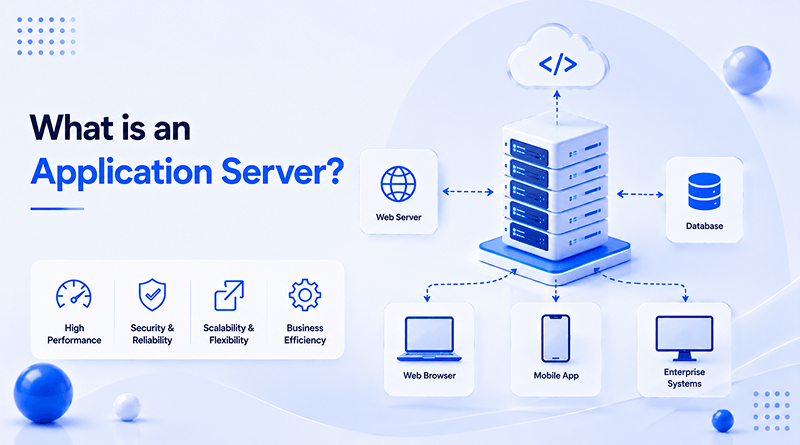
An application server is software that runs the business logic of an application and delivers dynamic content to users, operating between the web server and the database. Its primary role is execution: taking a request, running the required code, and producing a result the web server can pass back to the browser. This application server definition sounds simple on paper, yet it covers a layer that most modern applications genuinely cannot function without.
Static websites survive on a web server alone. Anything involving logins, transactions, personalized dashboards, or calculations needs more processing power and structure than a web server provides. These complex operations need an application server to run the underlying business logic and coordinate activity with the backend database. Understanding this difference is often the first step toward designing an application that scales properly. Get it wrong, and the system tends to buckle the moment real traffic hits it.
How does an application server work?
Picture a request as a relay handoff. The client sends it, the web server catches it first, and then passes the baton to the application server, which does the actual thinking, running logic, and pulling from a database wherever the task needs it. Each layer executes its specific role in the sequence, and this structural isolation makes identifying a failed component straightforward. Many teams run this stack on dedicated VPS hosting, where performance holds steady even as traffic climbs.
Somewhere in that handoff sits middleware, quietly wiring the application to databases, external APIs, and other services so nobody writes a fresh connector every time a new integration shows up. Think of it as a translator that lets systems built by different teams, in different languages, still hold a conversation.
Most of what an application server does, day to day, primarily involves interacting with a database. It runs queries, pulls records, pushes updates, and keeps two users from overwriting the same row of data at once. Stack enough of these small exchanges together, and you get the architecture that holds the entire application upright.
Related Read: Web Servers: What Are They and How Do They Work?
What are the key components of an application server?
Look past the surface of an application server, and a small set of components carry almost all of the operational weight:
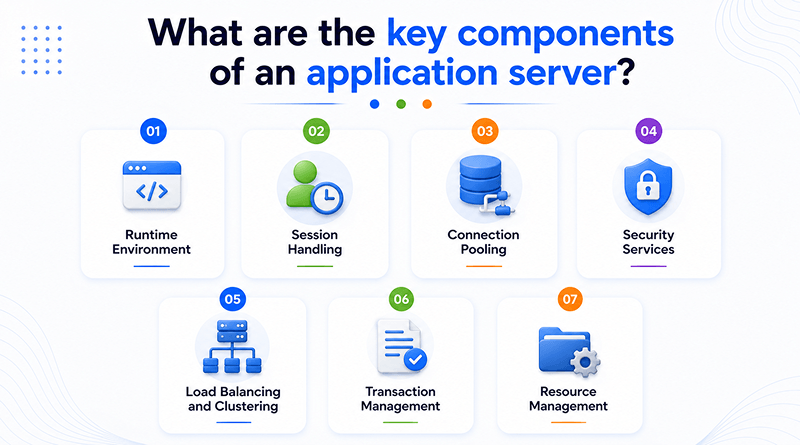
Runtime Environment
Application code runs here, completely separate from the operating system it’s deployed on.
Session Handling
A user clicks through five pages without logging in again, because the server already knows who they are from the first request.
Connection Pooling
A fixed number of database connections persists in the background. When a request comes in, it grabs one from that pool and returns it once done.
Security Services
This layer covers three things: who you are through authentication, what you’re allowed to manage through authorization, and whether your data stays readable if someone’s watching the network through SSL certificate.
Load Balancing and Clustering
Traffic gets split across two, five, or fifty machines depending on setup.
Transaction Management
Think of a bank transfer. Money leaves one account and lands in another as a single unit; either both happen, or neither does.
Resource Management
CPU and memory aren’t fixed per task. They shift based on what’s actually running heavy at any given second.
What are the different types of application servers?
The right platform depends heavily on what a team is already building with. A few categories dominate the field:
01
Java Application Servers
Tomcat and WildFly continue to be the best choices here as both are built on Java EE conventions that most teams already know well.
02
.NET Application Servers
Companies running on Microsoft technology tend to stick with .NET. The fit with Windows infrastructure isn’t a coincidence; it’s built for exactly that.
03
Node.js-Based Servers
Chat apps and live dashboards can’t sit around waiting on a response. That’s the whole reason Node.js, with its async request handling, ended up as the go-to choice for them.
04
Python Application Servers
Django and Flask projects usually run on Gunicorn or uWSGI underneath. Heavy data processing workloads especially lean this way.
05
Cloud-Native Application Platforms
Independent of dedicated hardware constraints. These run inside containers on cloud hosting, and the setup expands on its own the moment demand rises.
What are the benefits of using an application server?
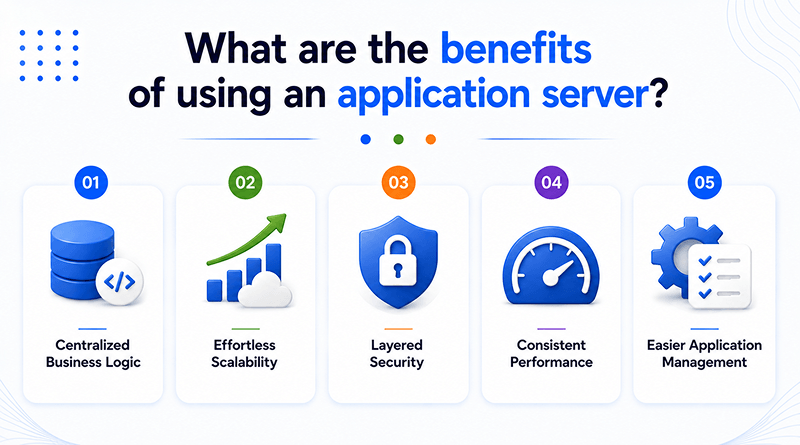
Separating business logic onto a dedicated server produces immediate architectural advantages:
1
Centralized Business Logic
Every rule and process lives in one place instead of being copied across a dozen applications. One update reaches every application at once.
2
Effortless Scalability
A traffic spike doesn’t need to call for any code changes. Load spreads across the server on its own, quiet Sunday or busy Monday, alike.
3
Layered Security
Every login check and permission rule runs through the same layer. There’s no version where five different scripts are each making that call independently.
4
Consistent Performance
Bulk queries, AI-driven requests, sudden traffic, none of it changes much on the user’s end. Caching and connection pooling take on the extra weight behind the scenes.
5
Easier Application Management
One dashboard covers monitoring, updates, and troubleshooting. Administrators no longer chase the same issue across five disconnected services.
What are the real-world use cases of application servers?
Walk through almost any industry running on digital infrastructure, and an application server is doing quiet work somewhere in the background:
Enterprise Applications
HR platforms and internal reporting tools carry logic no simple website could handle on its own, and that’s exactly the gap an application server fills.
E-commerce Platforms
Inventory, order processing, and a browsing experience that shifts per visitor, an online store runs all of it through an application server.
Banking and Financial Systems
Fraud checks, compliance rules, and transaction processing all demand precision. None of it gets handled loosely. One error here turns into a real problem.
Healthcare Applications
Running core patient records, scheduling, and billing systems within fully compliant, highly secure data environments.
Government Services
Applications, public records, citizen services, and government portals push volumes few other systems could realistically keep up with.
What are the challenges of using an application server?
This infrastructure introduces specific trade-offs, several of which occur frequently enough to require proactive planning:
01
Memory and processing demands increase quickly, particularly as workloads start including autonomous systems like Agent Zero AI carrying out tasks on their own.
02
Every additional service integrated adds another layer of configuration, and skipping that careful setup invites bottlenecks later.
03
Enterprise platforms, especially ones built on Java or .NET, often carry licensing fees that add up over a long deployment.
04
Patches, monitoring, and routine upkeep never really stop, since a neglected server becomes a security risk faster than most teams expect.
05
Traffic patterns shift constantly, and a server tuned for last year’s load rarely performs the same way under this year’s numbers.
What is the difference between an application server and a web server?
While frequently paired together, they solve different problems. A quick side-by-side clears up where each one actually earns its place:
| Feature | Web Server | Application Server |
|---|---|---|
| Core Purpose | Delivers static assets like HTML, CSS, and images to browsers. | Executes backend business logic and server-side code. |
| Content Type | Serves static files. | Generates dynamic data in real time. |
| Protocols | Optimizes strictly for HTTP/HTTPS. | Supports multiple protocols, including HTTP, RPC, and SOAP. |
| Resources | Low CPU usage; optimized for fast file distribution. | High CPU and memory demand for computational processing. |
| Key Features | Request routing, reverse proxying, and caching. | Connection pooling, transaction safety, and runtimes. |
| Examples | Nginx, Apache. | Tomcat, WildFly. |
Concluding Insights
An application server sits quietly behind nearly every application people use today, running the logic that turns a simple request into a meaningful response. It handles sessions, secures data, balances traffic, and keeps business rules together instead of scattered across separate scripts. A small internal tool runs on these same principles as a platform processing millions of daily requests.
The right choice depends on the application’s technology stack, its expected scale, and where it gets deployed. No single option works for every project. What matters most is understanding what this layer actually does, because once that clicks, building reliable, future-ready applications becomes a far more confident process, and the path forward starts looking a lot less complicated than it once did.
Frequently Asked Questions
1. What is an application server and how does it work?
An application server runs the logic that decides what a website’s response actually contains. A request first reaches the web server, then passes to the application server for processing. From there, it often queries a database before making its way back as a finished response.
2. Why do websites need an application server instead of just a web server?
Web servers lack the structural capability to manage user logins, financial transactions, or personalized content delivery. Once a website needs to calculate something or respond differently to different users, it needs an application server.
3. What are some examples of application servers used today?
Tomcat and WildFly are common in Java environments. .NET runs on Microsoft infrastructure. Python frameworks typically run on Gunicorn or uWSGI underneath. Cloud-native platforms have also become a standard choice for newer builds.
4. Is an application server necessary for small websites or only for large enterprise applications?
Small, mostly static websites can often run without an application layer. But the moment a website adds user accounts, dynamic content, or any kind of transaction, an application server becomes necessary, regardless of how small the overall project is.