Gaurav Bodhare
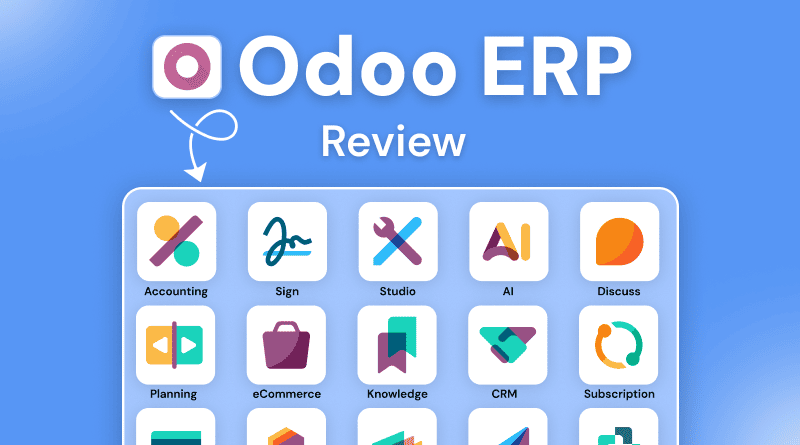
Running your business without a centralized system resembles trying to navigate through the city with five different maps that do not coincide. You are unclear where to go; you are switching between tabs, trying to remember what you did, or manually syncing your data but losing track of all the important details while switching from one software program to another. Odoo reverses this cycle by giving you an integrated place where each application can communicate with each other, making it a seamless environment that moves as fast as your business does.
In this Odoo review, we look at how a modular approach helps you avoid the friction created by using legacy systems. The right software is only as effective as the infrastructure supporting it. The platform truly performs only when it runs on infrastructure capable of managing intense workloads. By using ERP hosting on a truly high-performance platform, your inventory, sales reports, and customer interactions will take place in a fraction of the time it takes today.
Reliable infrastructure lets you focus on your actual business strategy instead of wasting time fixing server errors. When the technical side stays stable, you can spend your energy on using the tools to grow rather than just trying to keep them online.
Table Of Content
Quick Overview
Odoo provides an all-in-one modular ecosystem that replaces various expensive, standalone subscriptions. It allows you to start with basic tools and activate new features as your business scale demands them. Getting the initial setup right takes effort, but the payoff is a lean system that eliminates fragmented data segments and makes your whole operation run much smoother.
What is Odoo?
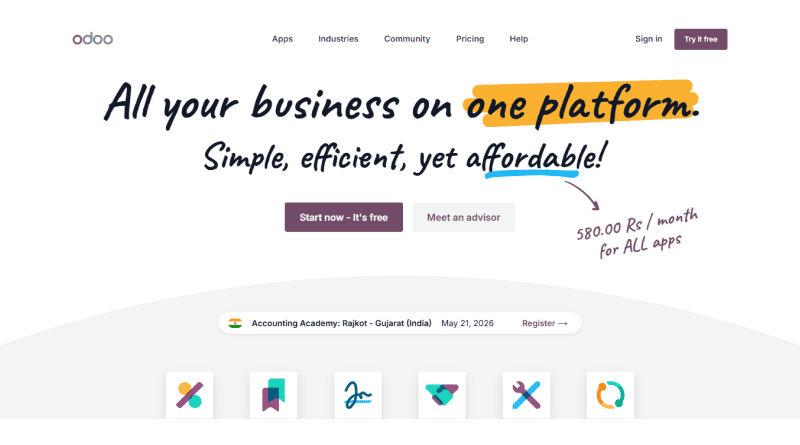
Odoo is a versatile suite of open-source business apps designed to manage every aspect of your enterprise. While conventional ERPs often arrive as one heavy, inflexible piece of software, Odoo takes a different path with its adaptable design. You can start by installing just the apps you actually need—like CRM or accounting—and then just plug in more as your business grows.
Every tool in the ecosystem draws from one central database, so when a salesperson closes a deal, inventory levels update on their own and the accounting team sees the invoice draft instantly. This Odoo system review confirms that the platform handles the heavy lifting of linking departments, so data moves naturally across your entire company without any extra manual work.
Related Read: Odoo vs Shopify: Pricing, Features, ERP Integration
What Are the Key Features of Odoo?
Modern businesses need tools that actually keep up with a heavy workload. This comprehensive Odoo analysis focuses on how this modular suite lets you customize a workflow without the usual technical bottlenecks.
- CRM & Sales: It centralizes your entire pipeline and automates the follow-up emails, so you don’t have to prevent leads from stalling because someone forgot to check their inbox.
- Accounting & Finance: The system handles the complexity of matching invoices to bank statements. Most Odoo customer reviews point out how much time this tool saves, especially when dealing with complex international currencies.
- Inventory & Warehouse: Live stock tracking ends the guesswork of over-ordering or running out, while direct carrier links let your team handle labels and tracking inside the app.
- Project Management: Visual boards and charts track team availability and reveal exactly where tasks accumulate. It makes meeting deadlines a lot easier when you can see exactly where the bottlenecks are before they cause trouble.
- AI & Automation (v19): The new version uses smart agents to handle the tedious tasks, like digitizing old paperwork or suggesting better workflows. Odoo software reviews show that the platform’s centralized database really helps by getting your team away from manual data entry.
Related Read: Top 10+ Odoo Alternatives
What Are the Pros and Cons of Odoo?
Odoo offers a highly customizable suite of business applications designed to centralize enterprise operations into a single platform. This flexibility allows companies to streamline workflows, though it demands meticulous planning during deployment to prevent configuration bottlenecks.
| Pros | Cons |
|---|---|
| Modular Growth | Time-consuming Setup |
| Complex queries | Rigid schemas |
| Native Integration | Tedious Testing Process |
| Open-Source Foundation | Resource-consuming environment |
| Enterprise Power | Subscription Level Support |
| Global Support Network | Needs significant planning |
Who Should Use Odoo?
This platform works best for growing businesses that have outgrown basic spreadsheets but want to avoid the heavy costs of old-school ERPs. It serves retail, manufacturing, and distribution companies particularly well by linking your front-end sales directly to your back-end supply chain.
If your team uses professional business email for communicating with clients, Odoo saves those conversations directly in the CRM for better context. For companies that need deep data analysis, linking your database to Grafana provides a clear view of your operational health. Many businesses looking at an Odoo ERP review decide to deploy on specialized cloud hosting to ensure the system remains available for remote teams.
Technical teams might use OpenClaw plugins to add specific functionality not found in the standard app store. Protecting this data is non-negotiable, so every implementation must include a dedicated SSL and should ideally be backed by dedicated support to maintain peak uptime.
Related Read: OpenClaw Plugins: A Guide to High-Performance Automation
What are the Benefits of Oddo?
Odoo simplifies your daily operations by unifying every department into a single, clean interface where data moves as fast as your team does. It replaces the headache of managing a dozen separate tools with an extensible system that scales exactly when you need it to.
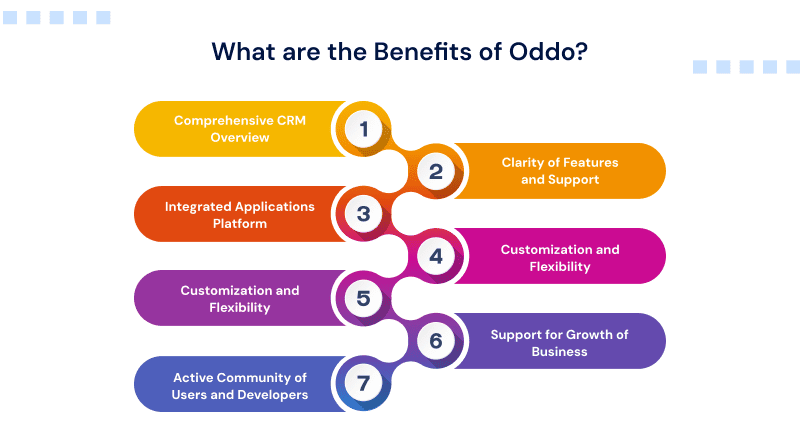
- Comprehensive CRM Overview: You get a full 360-degree view of every customer interaction, from the first lead to the final invoice, without digging through old emails.
- Clarity of Features and Support: All modules are built to integrate with one another, which means you will never have to worry about whether or not your sales and accounting data are going to be in sync with each other.
- Integrated Applications Platform: Having your applications centralized on one dashboard makes it easier for your team to navigate all the different application logins and user interfaces, as they do not have to deal with multiple logins or user interfaces.
- Customization and Flexibility: Open-source technology allows you to modify the software and integrate tools like an AI website builder to match your existing business processes, which removes the need to change your proven workflows just to fit a rigid system.
- Support for Growth of Business: You can begin using only one application, and as your revenue grows, you can add on new applications or features as your organization continues to scale without having to add excess costs.
- Active Community of Users and Developers: There are millions of active application users and developers in the community, giving you access to a vast amount of plugins available for use, as well as existing troubleshooting knowledge available online from multiple users through forums and other online communities.
How to Set Up Odoo for Your Business?
A successful Odoo rollout happens in stages rather than all at once. You begin with a discovery phase where you map out your current workflows and identify which Odoo apps solve your most immediate pain points. This stage is critical because it prevents you from over-complicating the system with features you don’t yet need.
Once you set the scope, you move into the website migration phase. This means eliminating your old records and moving them into the Odoo database so you aren’t dragging old mistakes into a new system. The time it takes to finish usually depends on how much history you’re moving and how many custom steps your workflow needs.
Conducting user acceptance testing (UAT) and staff training is the last part of the process. A “sandbox” version of the new system provides the opportunity for your staff to use the system in a safe environment, allowing them to understand the system’s operation before having to access it for real. This will allow them to build confidence and will ensure that your business operations will operate seamlessly at the instant that you convert to the new system.
Odoo vs Market Rivals: Which ERP Is Better?
| Tool | Best Usecase | Primary Strength | Deployment Environment | Implementation Time | Cost Structure |
|---|---|---|---|---|---|
 |
Scaling mid-market companies | Modular flexibility | Cloud or On-premise | 4 to 12 weeks | Per-user subscription |
 |
Global enterprises | Industry compliance | On-premise or Cloud | 6 to 18 months | High capital investment |
 |
Large-scale retail & finance | Financial reporting depth | Pure Cloud | 3 to 9 months | Annual licensing |
 |
Small businesses | Ease of use | Pure Cloud | 1 to 4 weeks | Flat per-employee fee |
 |
Technical manufacturers | Open-source control | Self-hosted or Cloud | 1 to 4 months | Free or low-cost |
Final Verdict: Is Odoo Worth It?
Odoo is more than just a quick solution because it actually adapts to your specific business style. Rather than forcing you into a rigid, pre-set structure, it gives you the tools to build a system that matches your real-world operations. This kind of flexibility ensures the platform stays useful as you grow, rather than becoming something you eventually outrun.
Moving to an integrated platform will eliminate the hidden costs of human error and manual data entry. When all three teams (accounting, sales, and warehouse) are using the same live data, there will be a shared understanding of the organization as a whole. As everyone has a common understanding, there is less internal friction, and everyone can concentrate on creating value for their customers.
Reading through Odoo reviews India and globally reveals that the most successful users are those who embrace the scalable nature of the software. Choosing Odoo means choosing a future where your software supports your growth instead of hindering it. With a thoughtful implementation and the right infrastructure, this ERP becomes the operational core of your business.
FAQs
1. How customizable is Odoo for business workflows?
Think of Odoo as a toolkit you can reshape. You can tweak any app or build new ones so the software follows your process instead of forcing you to change. This flexibility is a frequent highlight in any Odoo review from businesses with unique needs.
2. How does Odoo compare to SAP and Oracle ERP?
Odoo is faster to set up and much cheaper than legacy systems. While SAP and Oracle target massive corporations with significant budgets, Odoo gives mid-sized teams the same tools without the clunky, rigid feel. Most Odoo customer reviews favor it because the interface is actually easy to use.
3. Can Odoo be hosted on cloud servers?
You can deploy Odoo on any server you choose. Use their cloud or your private hardware to get better speed and control. Tech leads in an Odoo system review usually prefer self-hosting to keep a tight grip on their data and server performance.
4. What are the common challenges of using Odoo?
The setup is the hard part. Because it does so much, you have to be careful with the initial configuration. Most Odoo ERP reviews emphasize that a clear plan is the only way to navigate the extensive feature set without getting overwhelmed.