

 Jyoti Prasad

Do you only notice internet speeds when Netflix buffers, Zoom freezes, or uploads take forever? Testing network speed within your private network—be it a home lab, office LAN, VPS hosting cluster, or Raspberry Pi—requires a different measurement process than checking your internet connection.
OpenSpeedTest is a popular, lightweight tool for testing internal network speed without relying on external servers. Users run it on Windows, Docker, Raspberry Pi, and NAS devices to quickly check local performance.
As technology improves, some users are now experiencing limitations when accessing the OpenSpeedTest application. And this is a primary problem.
With the growing internet ecosystem, there’s a need for browser-based network testing tools, OpenSpeedTest alternatives, or other LAN speed test options. Many companies have different types of OpenSpeedTest alternatives. Some have created lightweight tools for new users who are testing their own LANs, while others have created enterprise-level analytical products specifically designed for infrastructure and IT teams.
A speed test doesn’t just tell you what your broadband speed is, but it also identifies where the actual bottleneck of your internet connection lies. It can be a bandwidth issue, a latency issue, a routing issue, a hardware issue, a real-time traffic load, or a limitation of your web hosting infrastructure.
In this article, we have included detailed insights on multiple OpenSpeedTest alternatives that are available to successfully test the speed of your private network. These tools include:
- Self-hosted LAN speed test tools
- Docker and VPS-based test tools
- Windows Server & Linux server-based test tools
- Raspberry Pi-based test tools
- Continuous monitoring of networks
- Real-time diagnostic testing
- GUI-based testing for non-technical individuals
- Advanced protocol testing tools
Key Summary: OpenSpeedTest Alternatives
- 1 If you only require a simple, browser-based LAN speed test, then OpenSpeedTest Server is still a viable option for performing quick and easy system tests on Windows, Docker, or Raspberry Pi servers.
- 2 If the requirement is for extensive network testing, deeper LAN’s performance understanding, ongoing testing, protocol testing, or using advanced network testing, then you need advanced tools.
- 3 LibreSpeed: The most lightweight and privacy-focused option available for self-hosting your browser-based speed tests.
- 4 OpenSpeedTest Server: A self-hosted HTML5-based LAN speed testing solution that works entirely through a web browser and is easy to deploy on Windows, Docker, or Raspberry Pi systems.
- 5 iPerf3: Designed for advanced benchmarking of networks through detailed analysis at the protocol level.
- 6 Speedtest Tracker: Designed to allow users to track historical test results and dashboards and set up automated monitoring of internet connections over time.
- 7 nPerf: The best solution for analyzing the overall quality of an internet connection relating to more than just raw speed.
- 8 Netdata + SpeedCLI: The best solution for real-time monitoring of both infrastructure and network activity together.
- 9 V-Speed: The best mobile-oriented application for performing network speed tests on Android devices.
💡 This article compares OpenSpeedTest alternatives and helps you choose the right tool based on your network testing needs.
Ultimately, the tool you use depends on the results you are looking to measure. For example, if you are only looking to perform basic validation of your local area network (LAN), then using a simple install of OpenSpeedTest would work. However, if you are looking to gather more comprehensive information, such as latency, packet loss, bandwidth stability, traffic behavior, and long-term performance trends, then newer tools give more useful data.
Table Of Content
What Is OpenSpeedTest?
OpenSpeedTest is an easy-to-use, web-based, private speed testing solution that allows users to test the performance of their local networks. Rather than testing your internet speed against a remote server, it allows users to perform tests directly from within their local area networks. OpenSpeedTest is a popular speed-test tool for several different types of systems, including VPS servers, Docker containers, Windows, and Raspberry Pi-based home-based LANs.
To explore OpenSpeedTest in detail, read our comprehensive blog: What is OpenSpeedTest?
1. Why Is OpenSpeedTest Popular?
The popularity of OpenSpeedTest is because of how easy it is to use and deploy. Users can launch the OpenSpeedTest widget by simply opening their browser and running a speed test without any complicated configurations or networking knowledge.
2. Why Does OpenSpeedTest Start Feeling Limited?
OpenSpeedTest is great for quick speed tests on a network, but as the modern enterprise continues to rapidly evolve, the need for additional data and insight into real-world network conditions exists. Just because you have a fast Mbps speed, it doesn’t mean your network is functioning correctly in everyday environments.
As users grow their enterprise network environments, they quickly realize that they need additional insight into latency, packet loss, traffic flow, and overall long-term network performance data. At this point, OpenSpeedTest no longer fits the bill; they start looking for top OpenSpeedTest apps for holistic network diagnostics.
3. Why Do Users Look for OpenSpeedTest Alternatives?
Businesses with continuous monitoring, automated testing, detailed dashboards, or protocol-level benchmarking needs have already outgrown OpenSpeedTest. Meanwhile, developers and IT teams might want enhanced reporting, historical data tracking, or intricate analysis of traffic, none of which OpenSpeedTest was designed to deliver. Thus, with advanced tech speed tests, tools such as LibreSpeed, iPerf3, and Speedtest Tracker are increasingly favored alternatives for private network testing/monitoring purposes.
Which are the Best Alternative Tools for OpenSpeedTest Port?
Not all network tests perform in the same way. Some are OpenSpeedTest windows created to easily test on lightweight LANs, while other OpenSpeedTest stress test alternative tools provide in-depth analysis of protocols, continuous real-time monitoring, and enterprise-grade overall visibility. Which OpenSpeedTest alternative will work best for you really depends on how deep into your network you intend to test.
Given below is a quick comparison table followed by detailed analysis for your reference:
| Tool | Type | Self-Hosted | Docker | Protocols | GUI | Best For |
|---|---|---|---|---|---|---|

|
Browser-Based Speed Test | Yes | Yes | HTTP/WebSocket | Yes | Simple private LAN testing |
 |
Command-Line Benchmarking | Yes | Yes | TCP/UDP/SCTP | No | Advanced protocol testing |
 |
Monitoring & Analytics | Yes | Yes | HTTP/API | Yes | Historical tracking & automation |
 |
Browser-Based Speed Test | Yes | Yes | HTTP/WebSocket | Yes | Quick local speed testing |
 |
Internet Quality Testing | No | No | HTTP/Streaming | Yes | Real-world connection analysis |
 +SpeedCLI +SpeedCLI |
Real-Time Monitoring | Yes | Yes | Multiple | Yes | Infrastructure observability |
 |
Mobile Speed Testing | No | No | HTTP | Yes | Android network diagnostics |
Comparison of popular OpenSpeedTest alternatives based on deployment options, protocol support, interface availability, and primary use cases.
1. LibreSpeed

In terms of browsers and closeness to OpenSpeedTest with a simple user interface with no external servers, LibreSpeed is one of the closest options possible. It is designed to be lightweight and with user privacy foremost. It can be fully self-hosted, and the simple user interface is one reason why many users choose it as their preferred tool for home lab testing, office LAN testing, and Docker development/testing scenarios.
Top Features:
- Multi-Backend Stack: Can be compiled natively in PHP, Node.js, Go, or Rust backends.
- Database Logging: Features built-in telemetry to pipe raw results into MySQL, PostgreSQL, or SQLite.
librespeed.org - Vanilla Frontend: Built with pure JS utilizing XHR Level 2 and Web Workers with zero dependencies.
- Graphic Sharing: Automatically renders shareable result .png images using the host’s GD library.
- Buffer Memory: Can scale its client-side browser buffer up to 500MB of RAM on multi-gigabit connections.
2. iPerf3
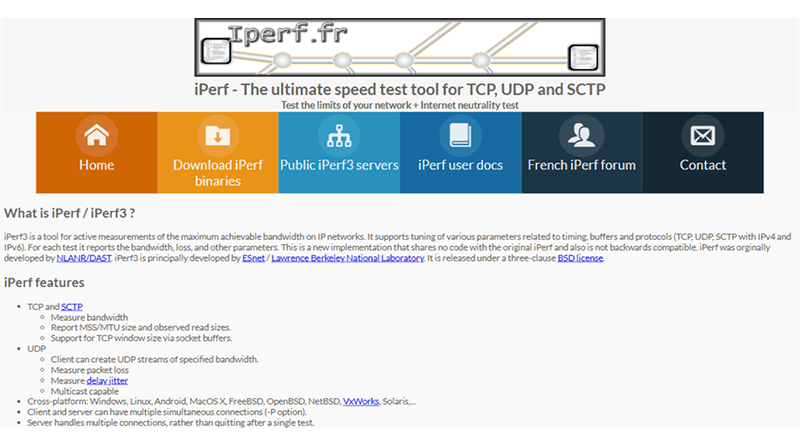
The industry recognizes iPerf3 as the industry standard for advanced network benchmarking. Unlike browser-based performance tests, iPerf3 uses the command line to generate TCP, UDP, bandwidth consistency, and packet loss. This makes it a key tool for IT professionals, network engineers, and VPS server administrators looking to test at the protocol level.
Top Features:
- Socket Adjustments: Allows manual override of TCP window sizes (-w) and Maximum Segment Size (-M).
- Zero-Copy Mode: Uses the -Z flag (sendfile()) to bypass CPU overhead during high-throughput tests.
- Slow-Start Bypass: Includes the -O parameter to omit initial seconds and skip biased TCP ramp-up phases.
- Algorithm Toggling: Supports explicit switching of network congestion algorithms (like BBR or Cubic) via -C.
- SCTP Auditing: Natively benchmarks Stream Control Transmission Protocol (SCTP) alongside raw TCP/UDP.
3. Speedtest Tracker
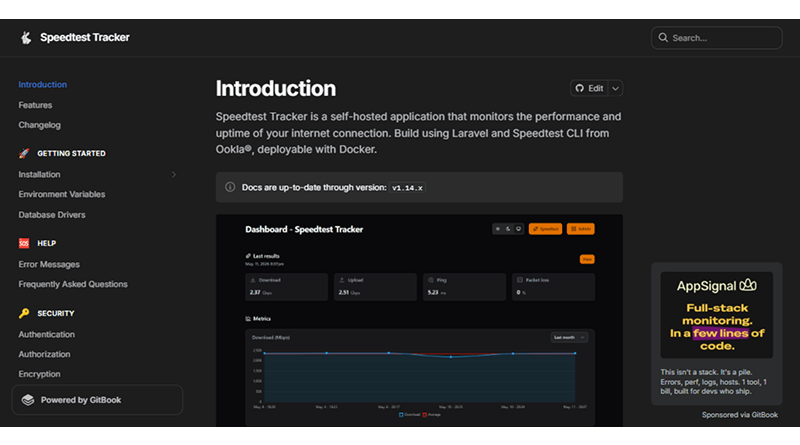
Speedtest Tracker is built for automation and provides long-term visibility of network performance. It continuously tracks performance over time through dashboards and historical records. Therefore, it is an excellent tool for businesses, home lab users, and other administrators who prefer continuous 360 monitoring of network performance rather than running a single speed test from time to time.
Top Features:
- Ookla Binary Wrapper: Runs directly on top of the official Ookla CLI rather than using brittle web scraping.
- InfluxDB/Grafana Pipeline: Feeds time-series metrics directly to InfluxDB out of the box.
- Threshold Alerting: Triggers instant webhooks via Slack, Discord, or Telegram if bandwidth drops below a set limit.
- Cron Scheduling: Uses precise cron-expressions to automate checks at any custom interval (e.g., every 5 minutes).
- Multi-Arch Docker: Ships with standard amd64 and lightweight arm64 container images for Raspberry Pi clusters.
4. OpenSpeedTest Server
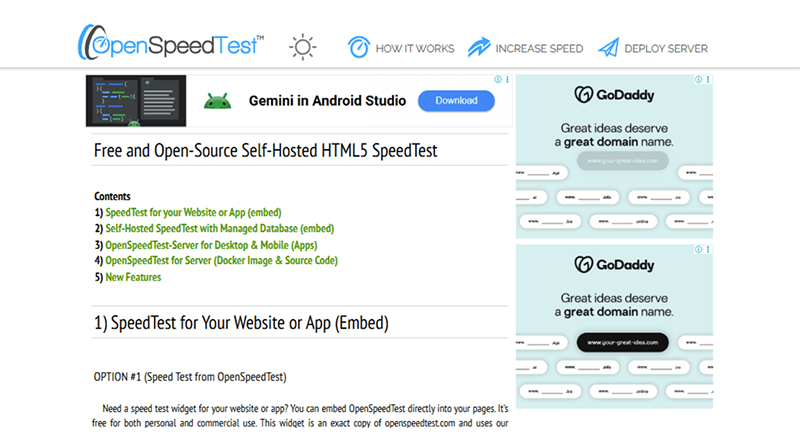
Even with the growth of newer options, OpenSpeedTest Server is still an excellent tool for simple local speed testing. Its user-friendly browser-based GUI, its ease of setup, and its compatibility with Raspberry Pi mean that users find it easy to perform fast internal network speed checks.
Top Features:
- Pure C Backend: Runs on a custom, high-efficiency web server compiled in C for near-zero idle CPU usage.
- Universal Web Engine: Leverages raw HTML5 Web Audio and Fetch APIs to work on Smart TVs and game consoles.
- 40 Gbps+ Capacity: Capable of saturating extreme local LAN pipelines up to 40 Gbps without bottlenecking.
- Parallel Testing: Handles multi-device, concurrent browser tabs testing simultaneously to stress-test Wi-Fi limits.
- CORS Enabled: Supports Cross-Origin Resource Sharing natively for embedding directly into external dashboards.
5. nPerf
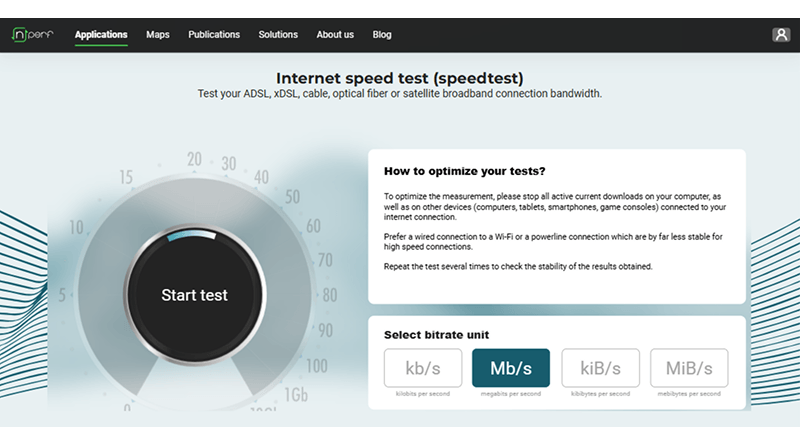
The nPerf tool does more than just measure speed; it provides an analysis of the overall quality of your internet connection. It analyzes how well you can browse the internet and watch streaming video and how fast your connection is. It’s highly beneficial for the users who want to understand the overall connection quality rather than just how fast their LAN throughputs are.
Top Features:
- UX Simulation: Physically simulates loading 5 distinct websites and streaming an H.264/H.265 video loop.
- Global Crowd-Mapping: Updates public telecom coverage maps every hour using encrypted client telemetry.
- GPS Filtering: Discards mobile wireless results with a geolocation uncertainty higher than 50 meters.
- Operator Cockpit: Features a dedicated PRO visualization portal used by ISPs to analyze competitor bitrates.
- nPoints Aggregation: Melds download, upload, latency, streaming, and browsing into a single metric score.
6. SpeedCLI + Netdata

The combination of Netdata and the SpeedCLI utility provides a highly effective real-time monitoring solution as an OpenSpeedTest app alternative. Users can continuously monitor the health of their servers, applications, infrastructure, and network traffic in addition to simply testing bandwidth. This is increasingly important in enterprise settings, VPS clusters, and production environments where live observability is critical.
Top Features:
- Per-Second Resolution: Collects and plots system metrics at a granular 1-second frequency.
- Metric Overlaying: Visually syncs the bandwidth spike against live CPU, RAM, and hardware interrupts.
- eBPF Kernel Insights: Tracks how the Linux kernel handles test packets at the OS socket level.
- Auto-Discovery: Instantly detects active network interfaces without requiring manual configuration.
- ML Anomaly Detection: Employs local machine learning algorithms to flag unexpected system resource deviations.
7. V-Speed

V-Speed is a mobile-focused speed test app, making it an ideal OpenSpeedTest Android alternative tool. It has a user-friendly interface and provides additional diagnostic capabilities, including signal quality testing, latency measurement, and analysis of mobile networks. If you need a quick wireless network test using your smartphone, this easy option works well on both phones and tablets.
Top Features:
- Cell Tower Mapping: Logs and records the exact Cell ID and Mobile Country Code (MCC/MNC) during the test.
- Wi-Fi Analyzer: Built-in scanner maps channel overlaps on 2.4GHz and 5GHz frequencies.
- 5G Infrastructure Tagging: Categorizes whether tests run over 5G SA (Standalone) or 5G NSA (Non-Standalone).
- Payload Resizing: Allows manual adjustment of the specific packet payload sizes used for ping diagnostics.
- Geo-Tagged History: Binds precise GPS coordinates to the app’s internal speed logs to map historical data.
What’s the Best Tool Based on Your Use Case?
| 🎯 Category | 🔍 Use Case | 🛠️ Recommended Tool | ✅ Why |
|---|---|---|---|
| Home Testing | Simple LAN speed testing at home | LibreSpeed | Easy browser-based testing with lightweight self-hosting |
| Benchmarking | Advanced network benchmarking | iPerf3 | Provides deep TCP, UDP, jitter, and packet analysis |
| Monitoring | Long-term network monitoring | Speedtest Tracker | Tracks historical speed data with dashboards and automation |
| Beginners | Quick local testing for beginners | OpenSpeedTest Server | Beginner-friendly setup with simple browser interface |
| Internet Quality | Real-world internet quality analysis | nPerf | Tests browsing, streaming, latency, and connection quality |
| Enterprise | Enterprise infrastructure monitoring | Netdata + SpeedCLI | Offers real-time visibility into servers and network performance |
| Mobile Testing | Mobile Wi-Fi and signal testing | V-Speed | Useful Android app for wireless diagnostics and speed testing |
| Raspberry Pi | Raspberry Pi network projects | OpenSpeedTest Server | Lightweight and commonly used on Raspberry Pi setups |
| Docker Homelab | Docker-based homelab environments | LibreSpeed | Easy container deployment with minimal resource usage |
| VPS Testing | VPS and datacenter diagnostics | iPerf3 | Delivers accurate server-to-server performance testing |
Recommended tool selection depends on your testing goals, deployment preferences, and the level of network analysis required.
Final Verdict
There’s no doubt that OpenSpeedTest is still useful to measure private network speed tests; advanced tools and metrics have already replaced it.
You not only measure upload and download speeds, but also need to get accurate insights into network behavior; you need to look for alternatives to OpenSpeedTest. Your connections’ stability, latency, and traffic shape overall performance. All of these factors influence the speed of your network.
OpenSpeedTest has been a great tool for people who want quick LAN speed test results; however, new OpenSpeedTest alternatives are now offering key metrics about your network’s overall health. For example, LibreSpeed adds simplicity to self-hosting a web speed test; iPerf3 provides professionals with advanced benchmarking capabilities; and Speedtest Tracker and Netdata provide in-depth viewing and analysis of network data.
Choosing the best tool depends on where you are using it and what you want to accomplish. So, when selecting your tool, it is not necessary to find the “most” advanced tool; you need to select one that allows you to really understand your network performance.
FAQs
1. Are private network speed test tools safe?
The majority of private network speed test tools are generally regarded as secure, as long as they are hosted appropriately in your environment. Tools, such as LibreSpeed, OpenSpeedTest Server, and iPerf3, enable users to measure LAN speed performance without transmitting any data to a public speed test server. But the final determination of “safe” is dependent upon proper configuration of OpenSpeedTest port settings, firewall settings, access control settings, and maintenance of the software installed.
2. Why should I use an alternative to OpenSpeedTest for local network testing?
An alternative to OpenSpeedTest provides you with deeper insight into your network than just the upload and download statistics. Alternatives like iPerf3 and Netdata give you better insight through diagnostics of latency, packet loss, traffic consistency, historical monitoring, and analytics on an enterprise level.
3. Can I use these tools for enterprise network monitoring?
Yes, many of the OpenSpeedTest alternatives are designed for enterprise use cases. Products such as Speedtest Tracker and Netdata offer features for continuous monitoring, dashboards, automated testing, and network-wide visibility. They are preferable to a one-time-only speed test for monitoring enterprise-level network performance.
4. Can I test LAN speed without internet access?
Yes, you absolutely can. One of the many positives of OpenSpeedTest Server and iPerf3 is that they allow you to test your local network, or LAN, performance without connecting to the internet. This makes OpenSpeedTest Server and iPerf3 perfect for internal office local area networks (LAN), home labs, Raspberry Pi projects, and other isolated testing environments operating without a public internet connection.
5. Which OpenSpeedTest alternative is best for beginners?
Most people new to open-source speed testing feel comfortable using LibreSpeed because it provides a simple browser user interface (UI), is lightweight, and offers easy self-hosting support options. All these easy features make it an optimal choice for users looking for an easy-to-use solution that is simple to install on Windows, Docker, and Raspberry Pi computers.
6. What features should I look for in a private network speed testing tool?
When choosing a private network (LAN or VPS) speed testing tool, you need to choose a tool that is accurate in reporting bandwidth usage and latency. In addition, it should also support multiple protocols with self-hosting options and reliable reports. If you have advanced requirements (Docker support, historical data, real-time monitoring, automated tests, comprehensive analytics), you can consider more sophisticated network speed testing solutions for private networks (LAN or VPS).